
Activity log
Every meaningful change in the app — a staff member invited, a payment confirmed, a student deactivated — writes one row here in the same transaction as the change itself. What's on this page is exactly what happened, not something re-derived from whatever the current state looks like now.
Screens below are from a demo school's real activity — actual invitations, deactivations, and payments from earlier in this same documentation project.
Who can do what
Reserved for the same three who run the school day to day: the proprietor, Head Teacher, and ICT Admin — the trio behind most of the "manage" predicates elsewhere in the app. A teacher or Burser works inside one part of the school and has no need to see across all of it, so neither the full log nor any embedded widget renders for them.
The full log
Activity log filters six ways at once — category (Students, Staff, Payments, Results, Sessions & terms, Admissions, Attendance), type (create/update/destructive/delete), who did it, a date range, and free text — over a table naming exactly what happened, when, and by whom.
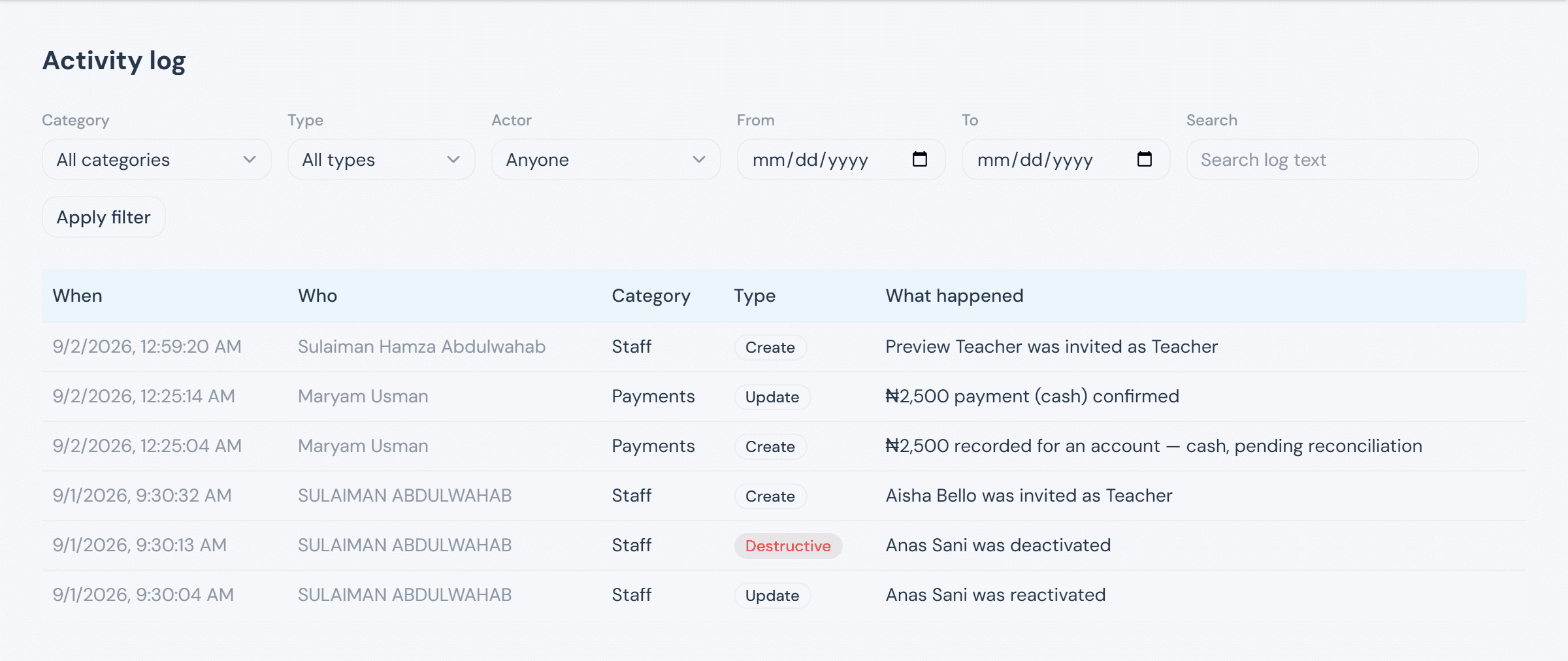
Destructive isn't just "a delete happened" — nothing here really deletes business data. It marks an action that removes access, reverses money, or ends a process negatively: deactivating staff, reversing a payment, rejecting an application. That's the one worth actually scanning for, which is why it's the only type that earns the red badge.
Recent-activity widgets
The same 5-row Recent activities card is embedded on Students, Staff, Payments, Results, and Admissions — each instance narrowed to that page's own category, so the staff page's widget only ever shows staff activity. It checks the same viewer permission itself, since some of those host pages (the Burser can reach Admissions, for instance) are visible to roles the log itself isn't.
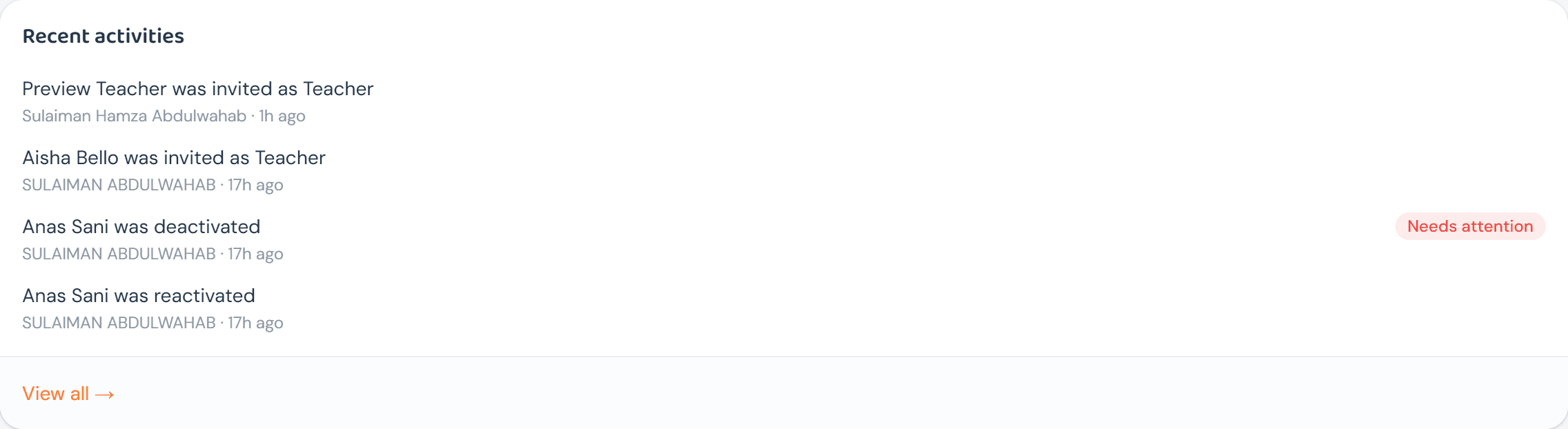
View all → jumps straight to the full log, pre-filtered to that same category — the widget is a preview of the log, not a separate feature from it.