
Classes & academic sessions
A class only means anything against an open term, so this guide starts in Settings → Academic sessions before it ever reaches Classes — in practice, setting up a school follows the same order.
Screens below are from a demo school with sample data. No real session or term is changed to make them — every screenshot showing a state change (opening a term, assigning a teacher) is the demo school's normal read state, not something toggled for the doc.
Who can do what
Unlike staff management, Head Teacher and ICT Admin diverge here: both can assign a class teacher, but only the Head Teacher touches curriculum or the calendar itself.
Academic sessions & terms
A session (an academic year) holds three terms, each independently not open, active, or closed. Only one session and one term are active school-wide at a time — score entry, the current dashboard period, and a class teacher's assignment all read from whichever term is active right now. The Head Teacher alone opens, closes, or reopens a period; everyone else on the officer team sees the same calendar read-only.
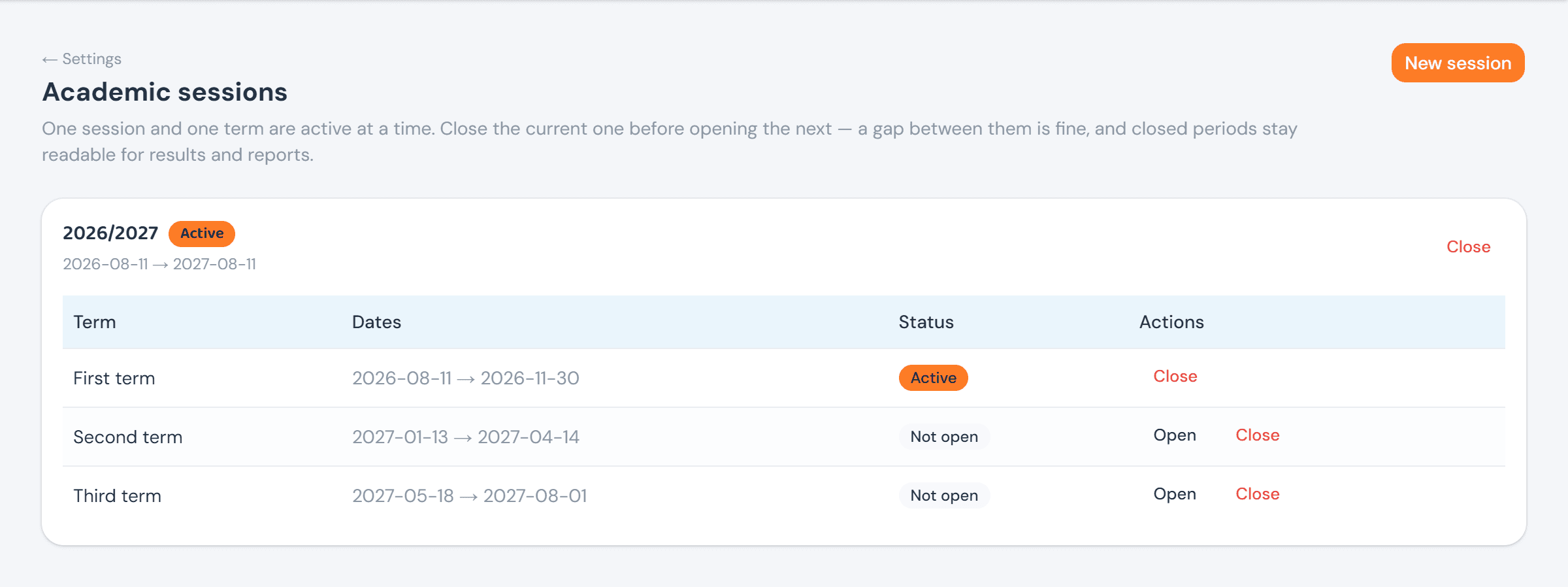
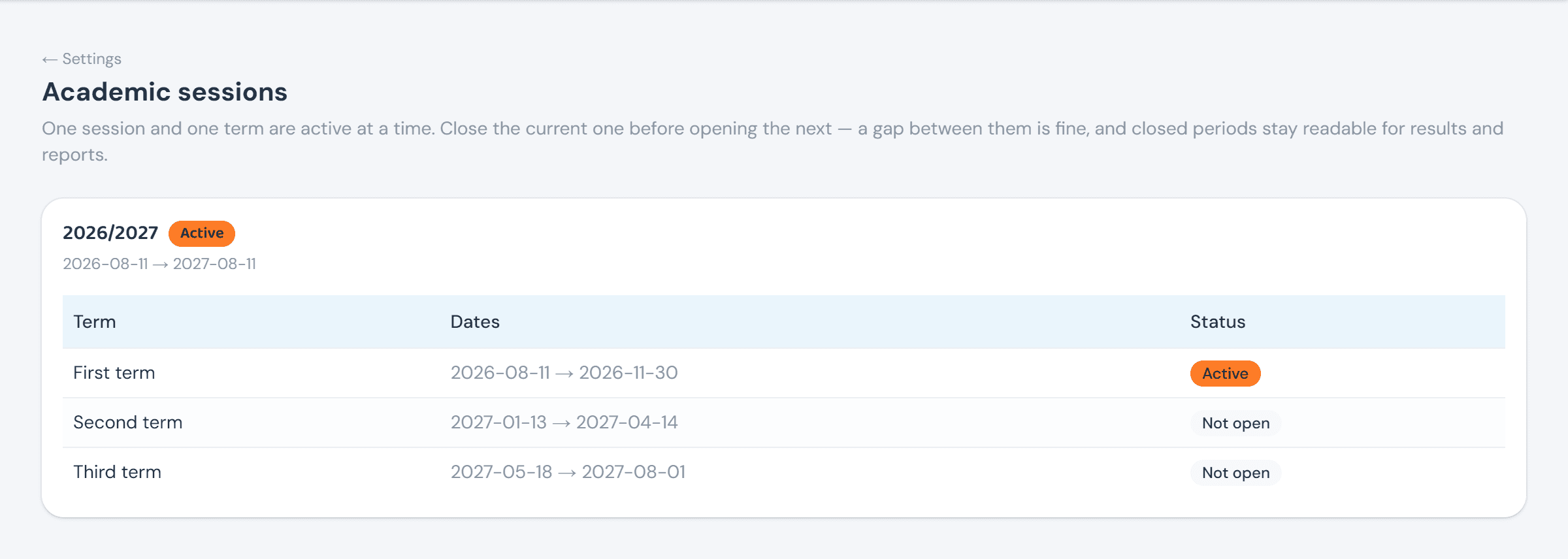
A proprietor or ICT Admin opens the identical page and sees the same table with no Actions column at all — the calendar is theirs to read, not to change.
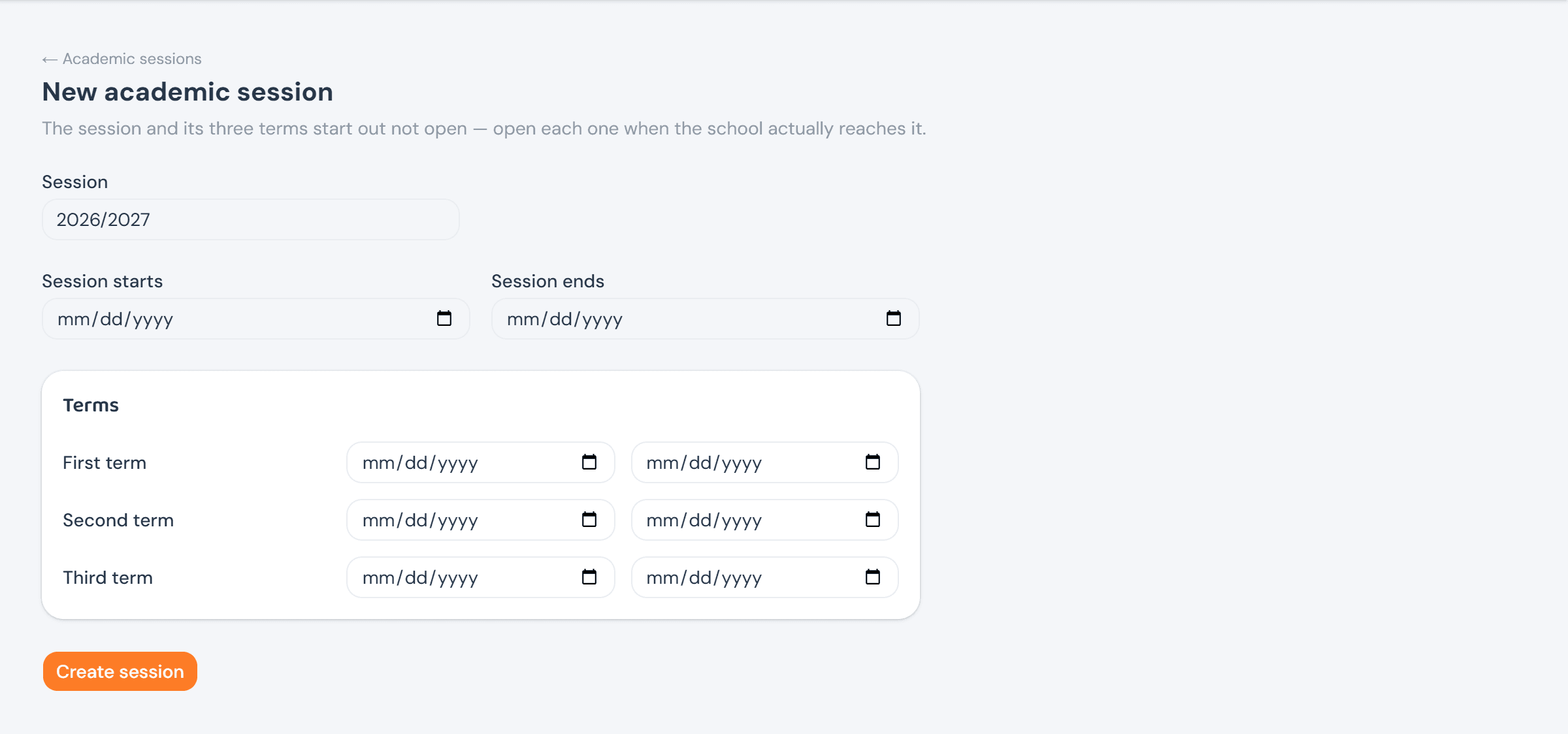
New session creates the session and all three terms at once, every one of them not open — preparing next year and actually starting it are deliberately separate acts, so setting up 2027/2028 in advance never risks accidentally switching the school onto it.
Classes & arms
Classes lists every class, its arms, and — where the current term has one — that arm's class teacher. Adding a class or an arm is the proprietor's call as much as the Head Teacher's: it's shaping the school, not running its calendar.
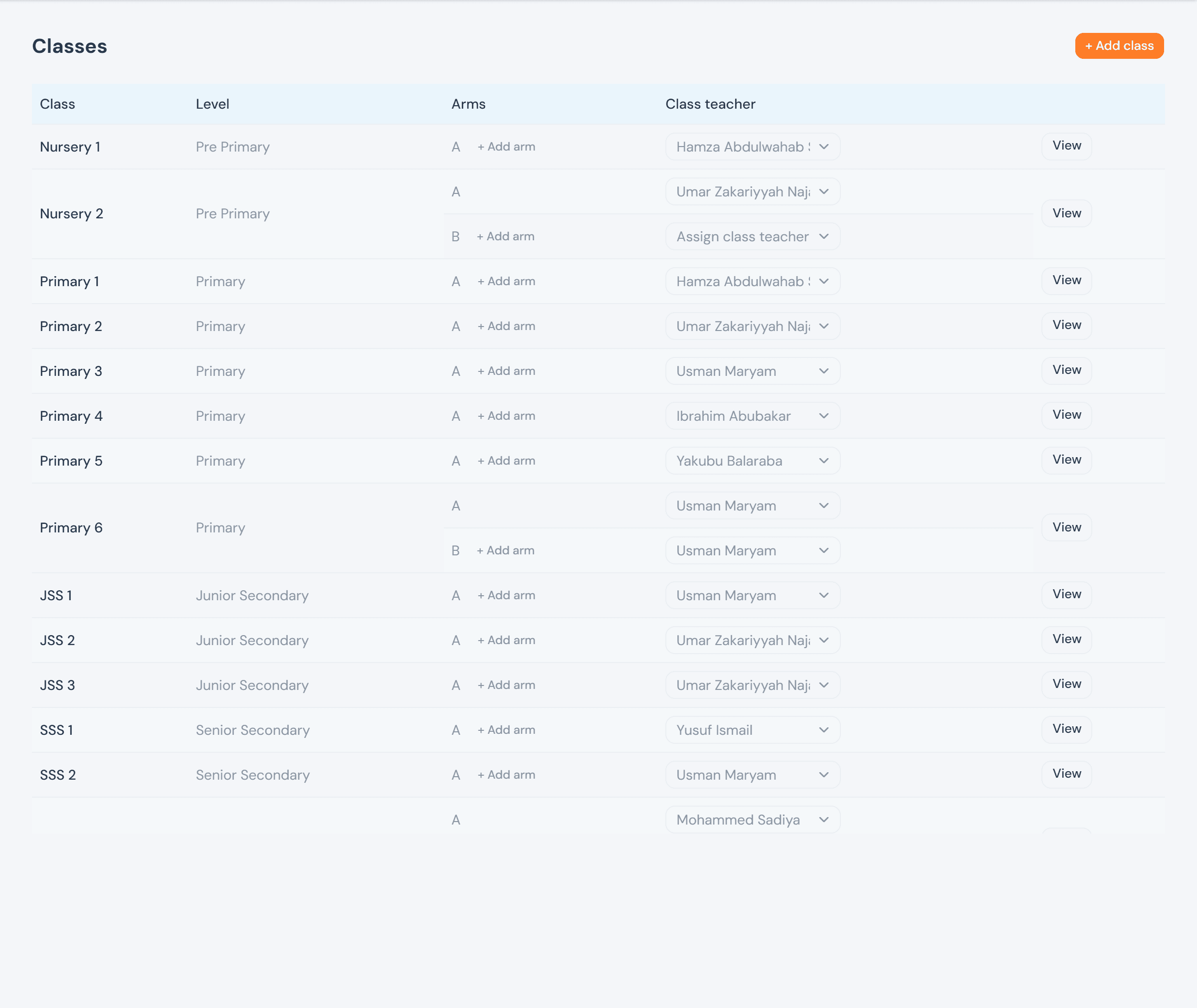
+ Add class expands into a name and a level (Pre-primary through Senior secondary); a new class is appended to the end of the promotion order. + Add arm on any class row works the same way, inline.
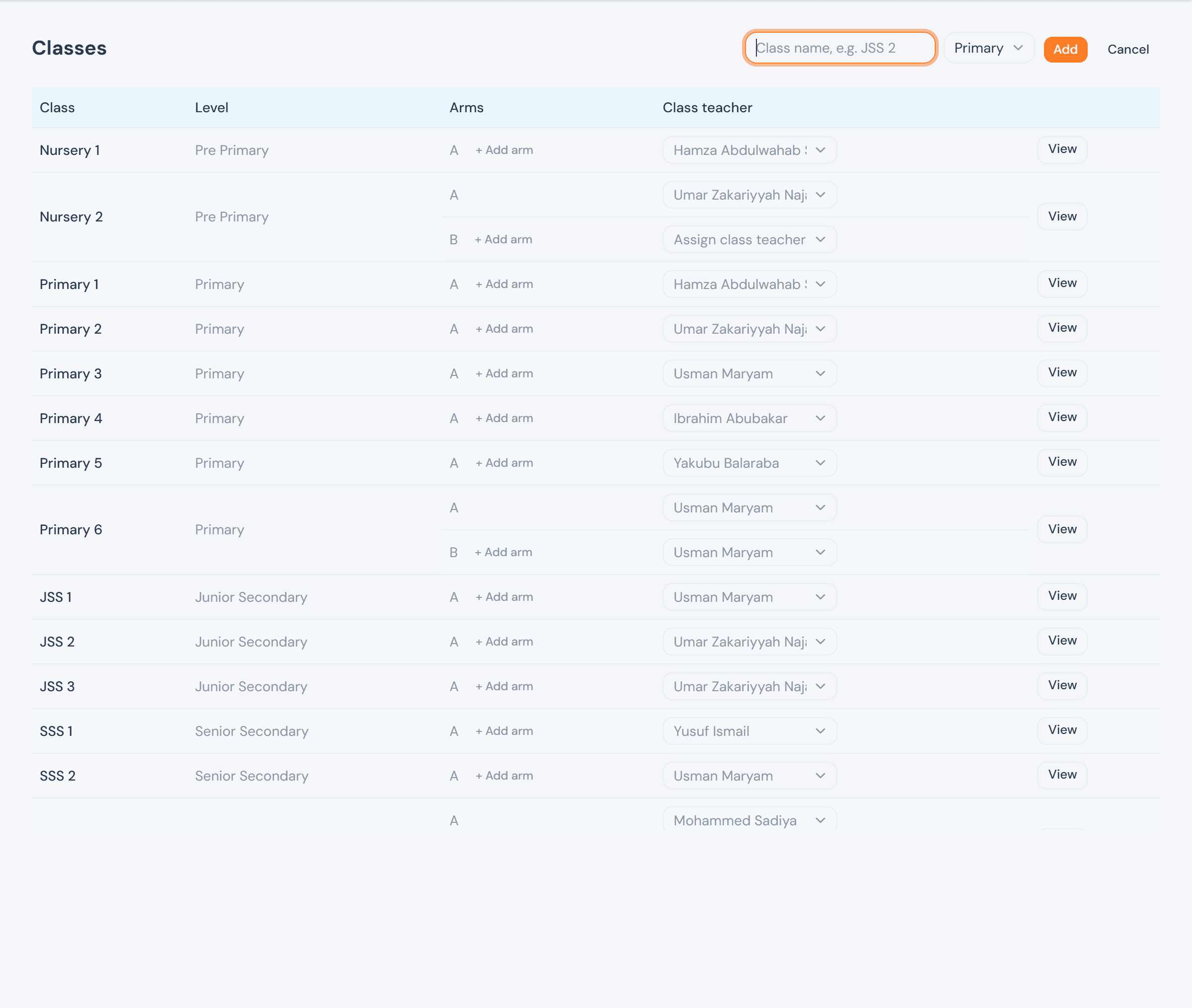
A proprietor sees the same list and can still add classes and arms, but each arm's class teacher renders as plain text instead of a dropdown — assigning one isn't theirs to do.
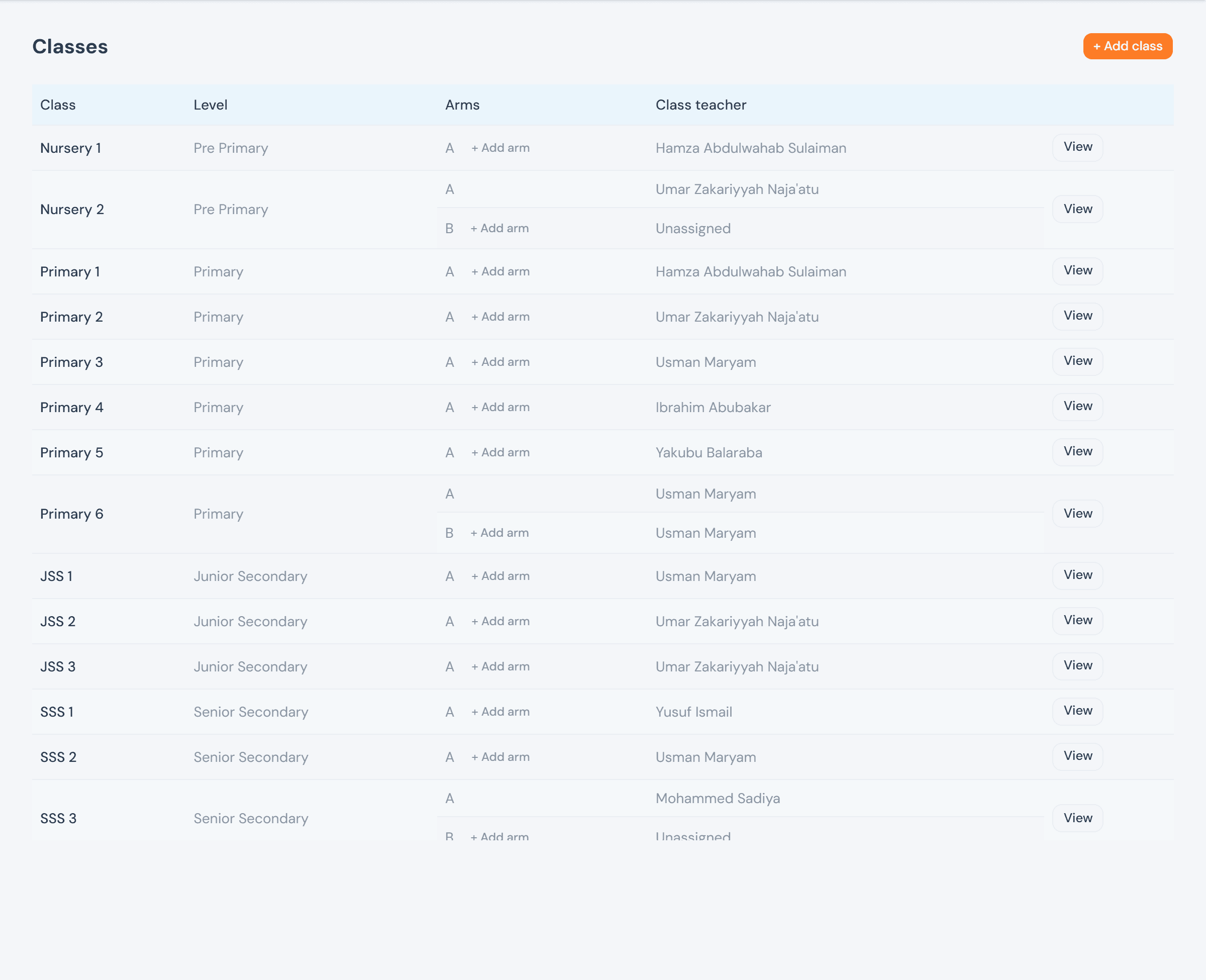
Assigning a class teacher
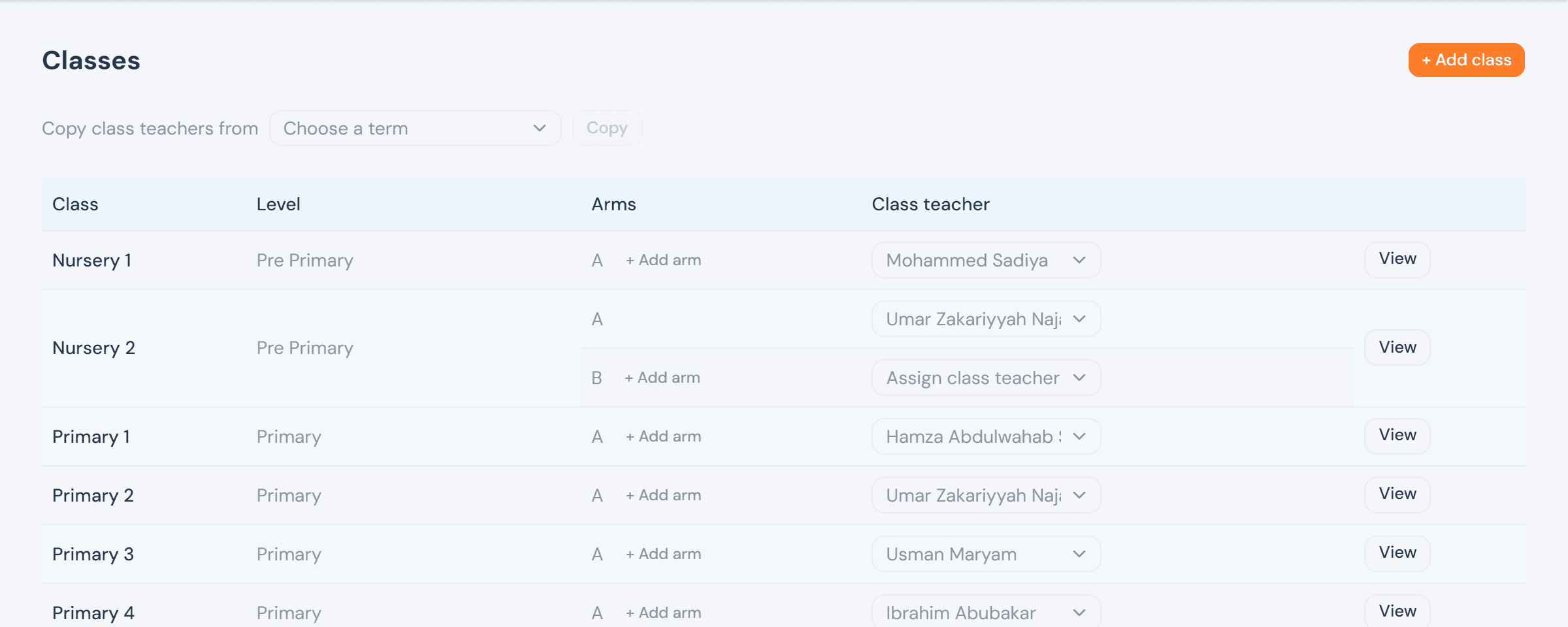
Staffing a class is day-to-day running of the school, not appointing its officers, so it sits with the Head Teacher and ICT Admin rather than the proprietor. Any active staff member is eligible for the dropdown — not only teachers — and picking one takes effect immediately for the current term; there is no separate save step. Reassigning simply means picking someone else.
Most schools keep the same teacher on the same arm term after term, so re-picking every arm by hand at the start of a new one is rarely necessary. Copy class teachers from — right above the class list — pulls every arm's assignment from a chosen term into the current one in a single click. An arm already assigned this term is left alone rather than overwritten, and an assignment whose teacher is no longer active is skipped outright; both counts come back in the result, so it's obvious which arms still need a manual pick afterward.
Class curriculum
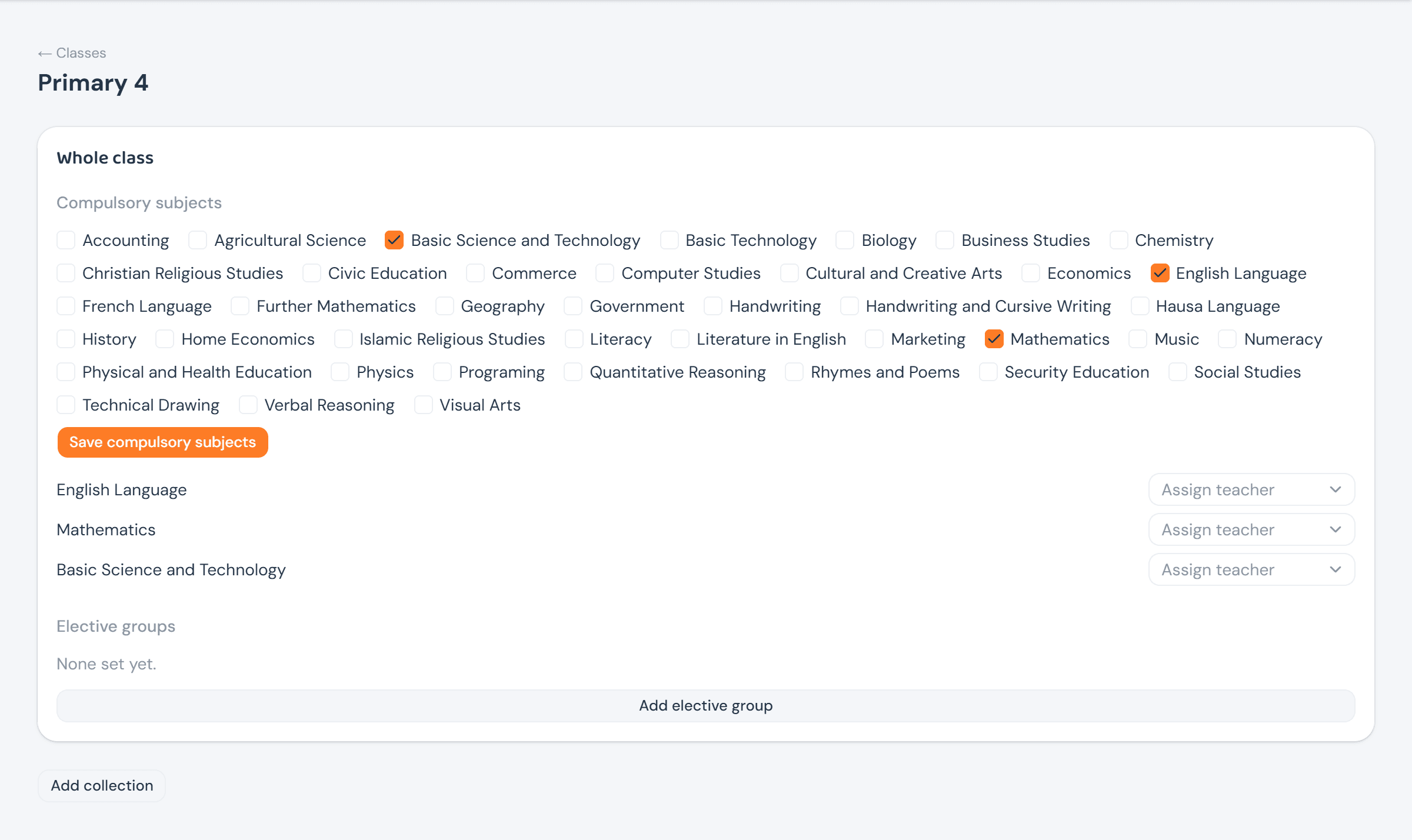
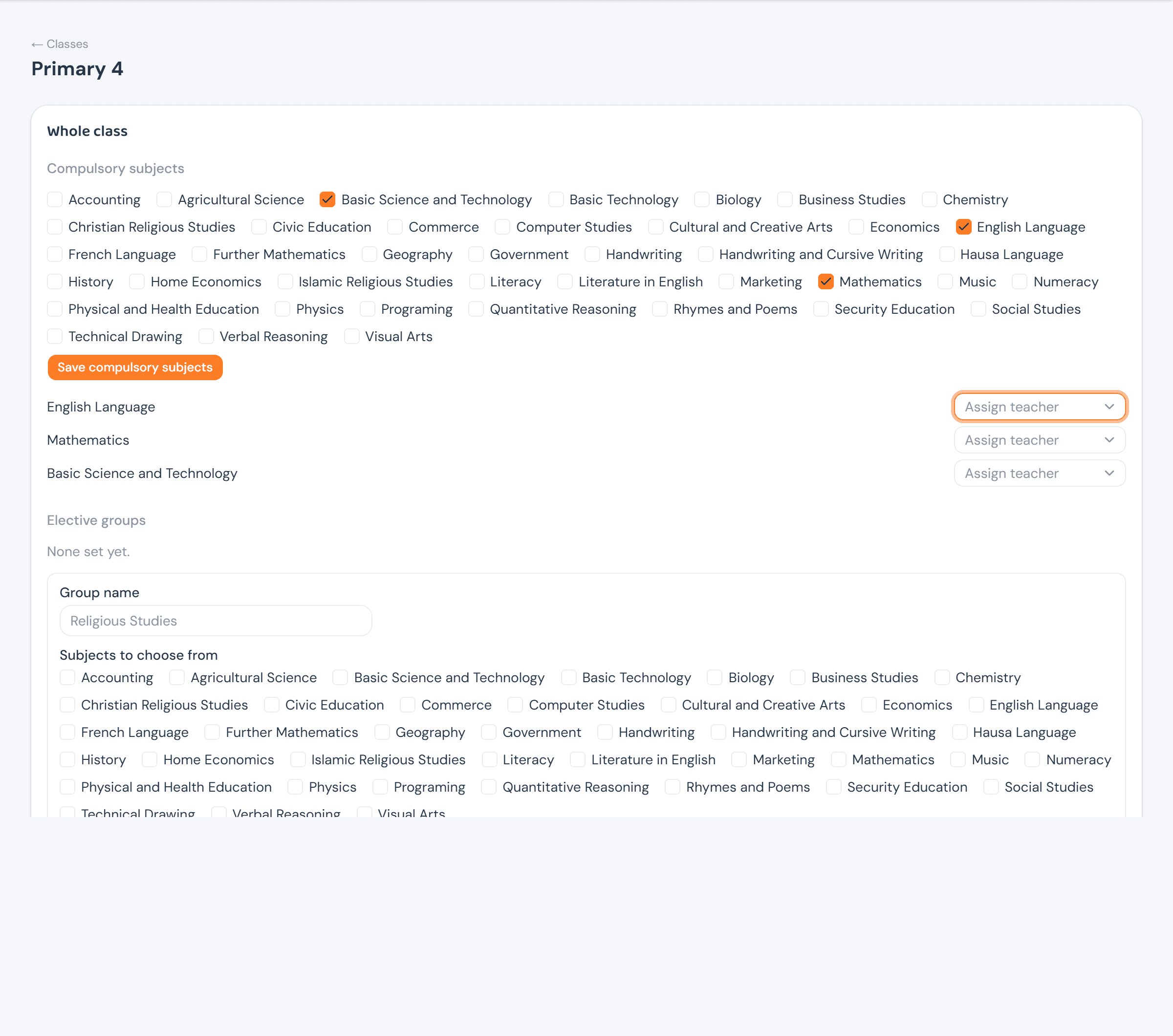
Opening a class from View reaches its curriculum: which subjects are compulsory for the whole class, who teaches each one this term, and any elective groups ("pick one of Christian or Islamic Religious Studies") layered on top. Compulsory subjects are ticked straight off the school's subject master list; a class with no electives yet just says so, with a button to add one. This whole page — like the academic calendar — is the Head Teacher's to edit; the proprietor and ICT Admin see it exactly as laid out, without the checkboxes, dropdowns, or Add buttons.
A class (or collection) with no compulsory subjects ticked yet gets one more option, inline: an or copy from picker listing every other class or collection that already has a list set, so a new SSS arm running the same core subjects as an existing one doesn't mean re-ticking the same boxes by hand. It disappears the moment this scope has any subjects of its own — copying only ever fills an empty list, never replaces one.
A class can also have collections (e.g. Science vs. Arts) beneath the whole-class level, each with its own compulsory subjects and elective groups — the same two sections repeated, scoped to that collection instead of the whole class.