Attendance
Attendance splits administering from marking more sharply than anything else in the app: the Head Teacher sets the rules but never opens a register, and only a class teacher marks one — for their own arm, nobody else's.
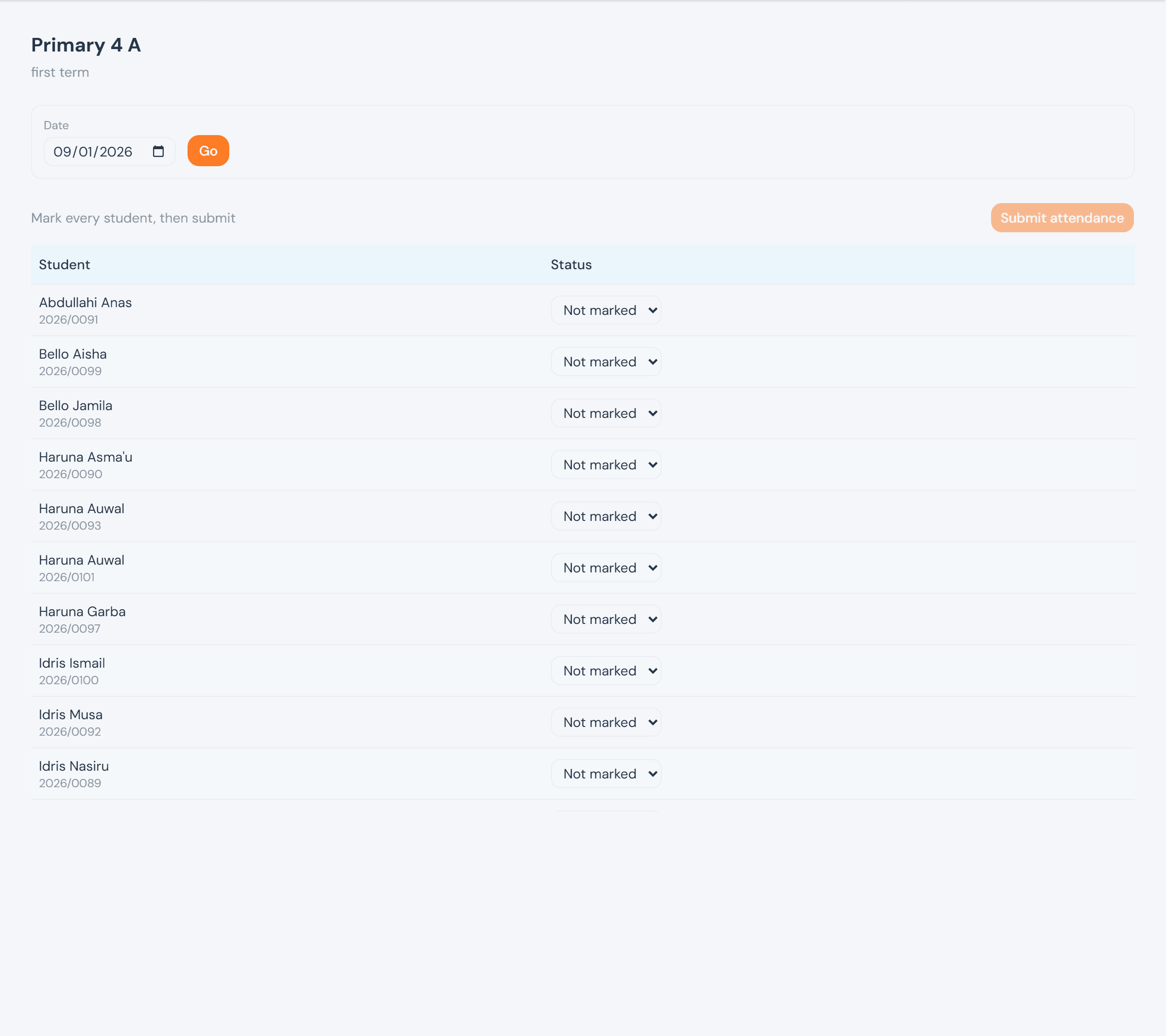
Screens below are from a demo school with sample data. The register shown is today's, entirely unmarked — no attendance status was actually recorded to make this guide.
Who can do what
Read this one by row, not by column: the Head Teacher administers (configures, corrects) but is the only officer excluded from the register itself, even read-only. The proprietor and ICT Admin can watch any arm's register live but can't mark or correct it. A class teacher's access is scoped to arms they're assigned to this term — losing the assignment loses the access, immediately.
Settings → Attendance
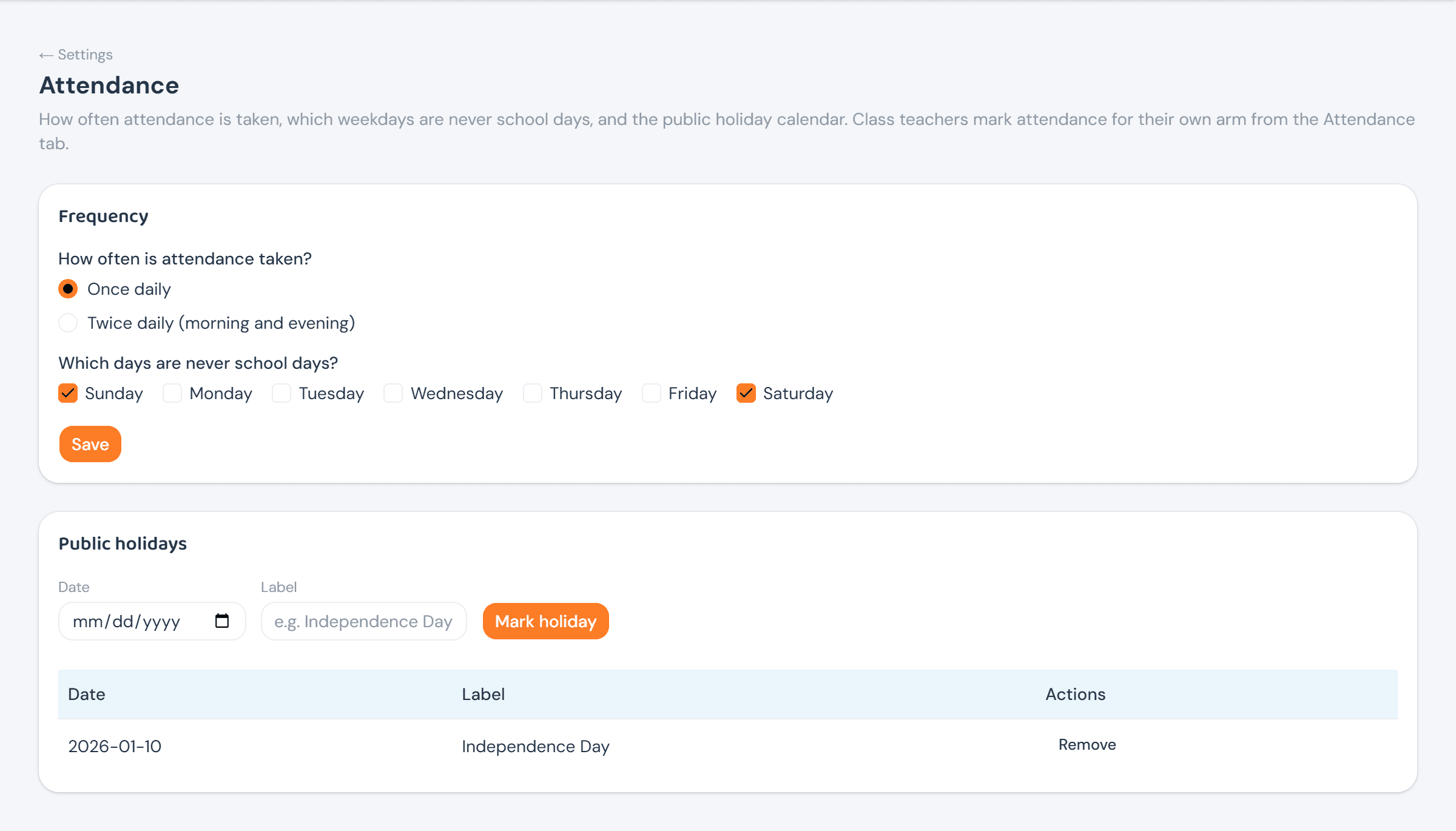
Settings → Attendance holds two things: how often attendance is taken (once daily, or morning and evening), and which weekdays are never school days — both school-wide, both the Head Teacher's call. A public holiday calendar sits alongside it; marking a date a holiday means the register simply isn't required that day, without touching the weekly pattern.
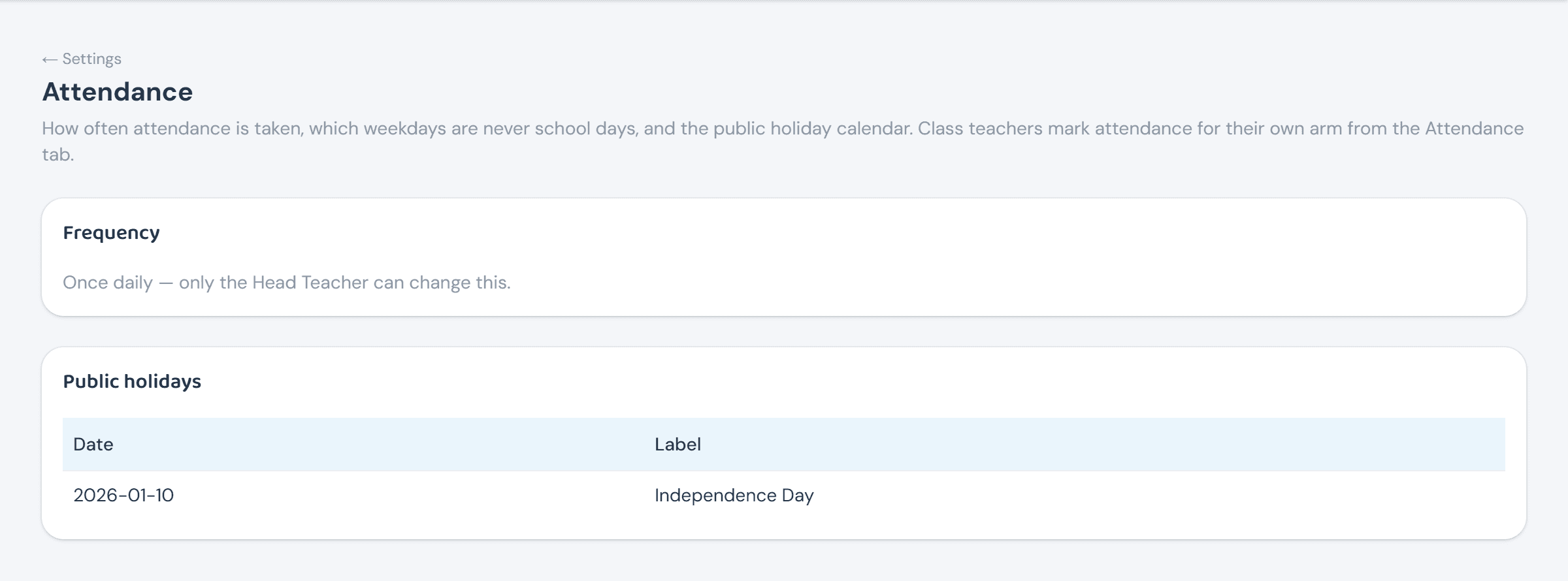
The proprietor and ICT Admin see the same page with the settings spelled out in plain text instead of controls — no radio buttons, no weekday checkboxes, no way to mark a holiday.
Taking attendance
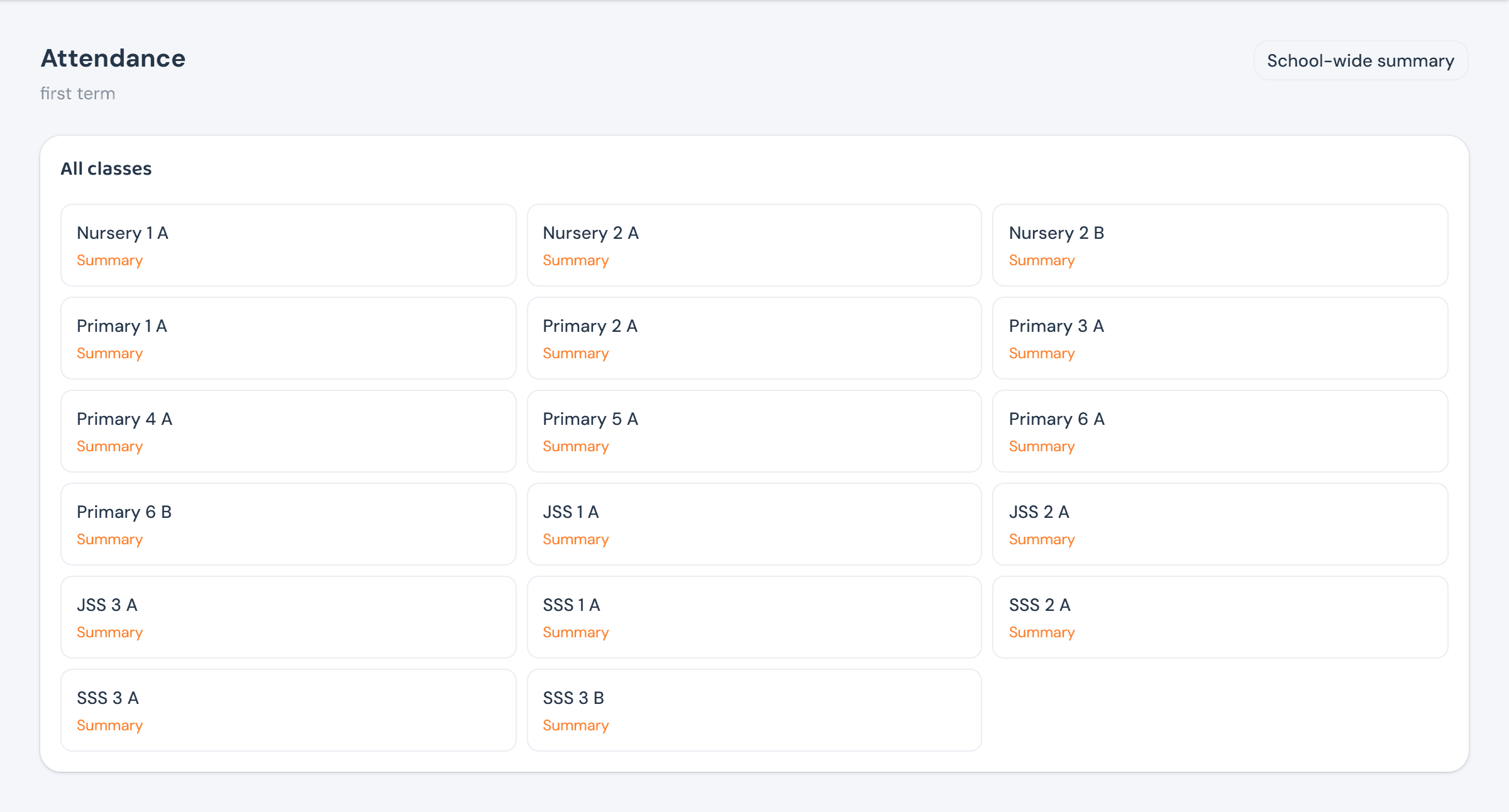
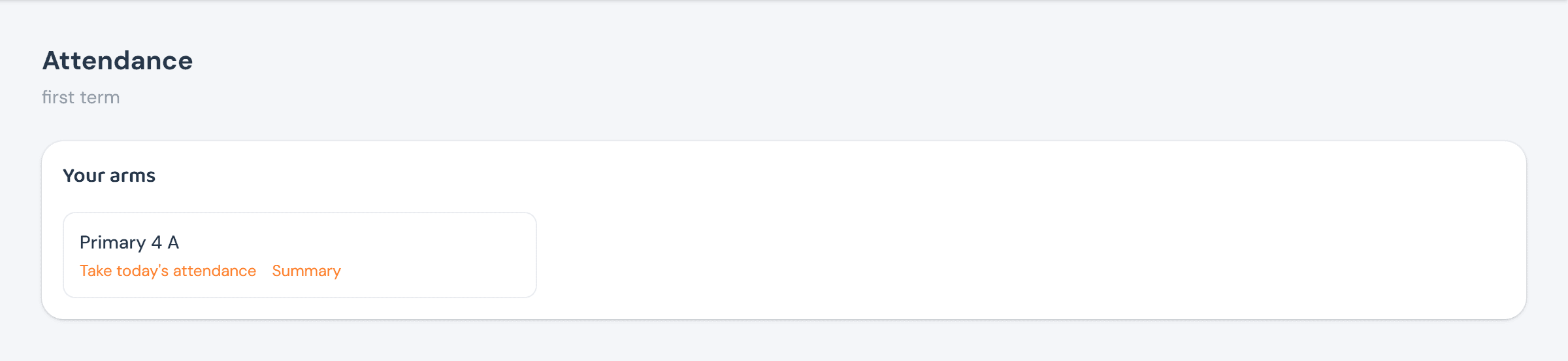
An officer's Attendance landing page lists every arm in the school; a class teacher's lists only the arm or arms they're assigned this term, under Your arms. Notice what's missing from the Head Teacher's list below — Summary only, no Register link at all, on any arm.
The register itself is one row per student, a status dropdown each — Present, Absent, Late, or Excused — and a single Submit attendance that locks the whole day once every student is marked. Locked doesn't mean fixed forever: it means marking is done and any further change has to go through the Head Teacher's separate correction control, never the ordinary dropdown again.
Summaries & reports
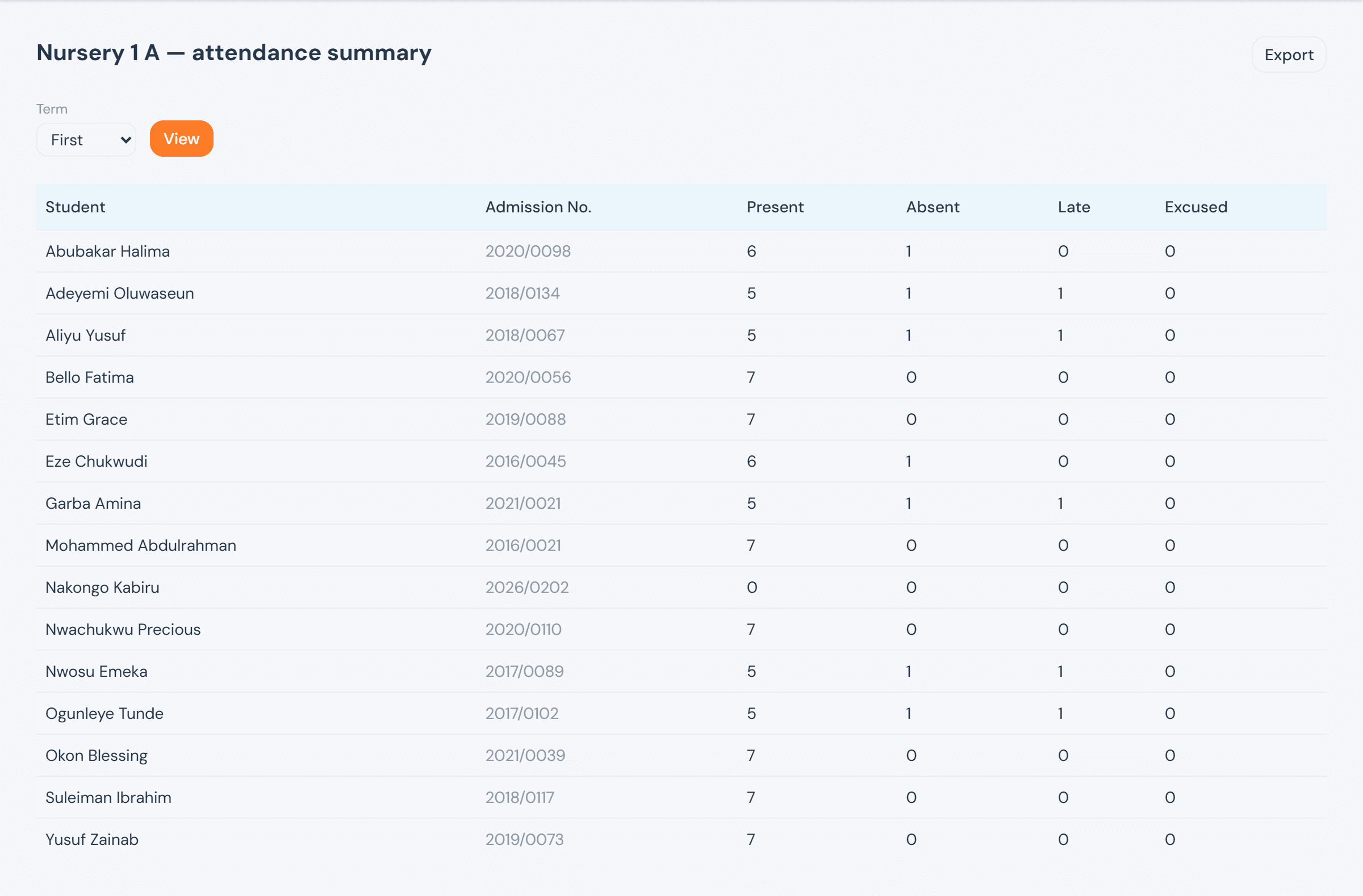
Every officer, plus a class teacher for their own arm, can pull a per-student Present/Absent/Late/ Excused count for a term from a class's Summary — the same table an Export button turns into a spreadsheet.
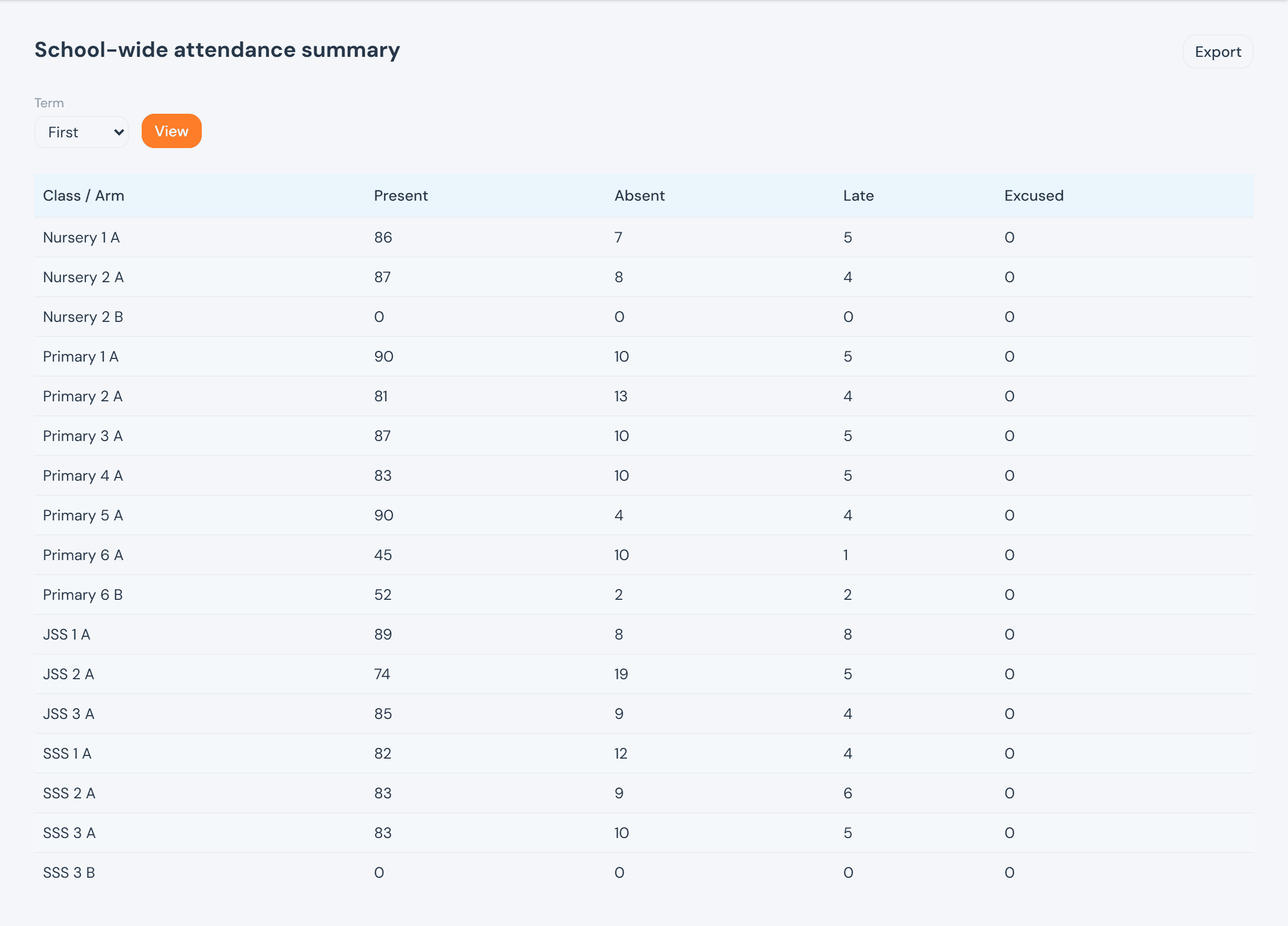
School-wide summary — officers only — rolls the same counts up to one row per arm, the fastest way to spot a class whose numbers look off before drilling into why.