
Students
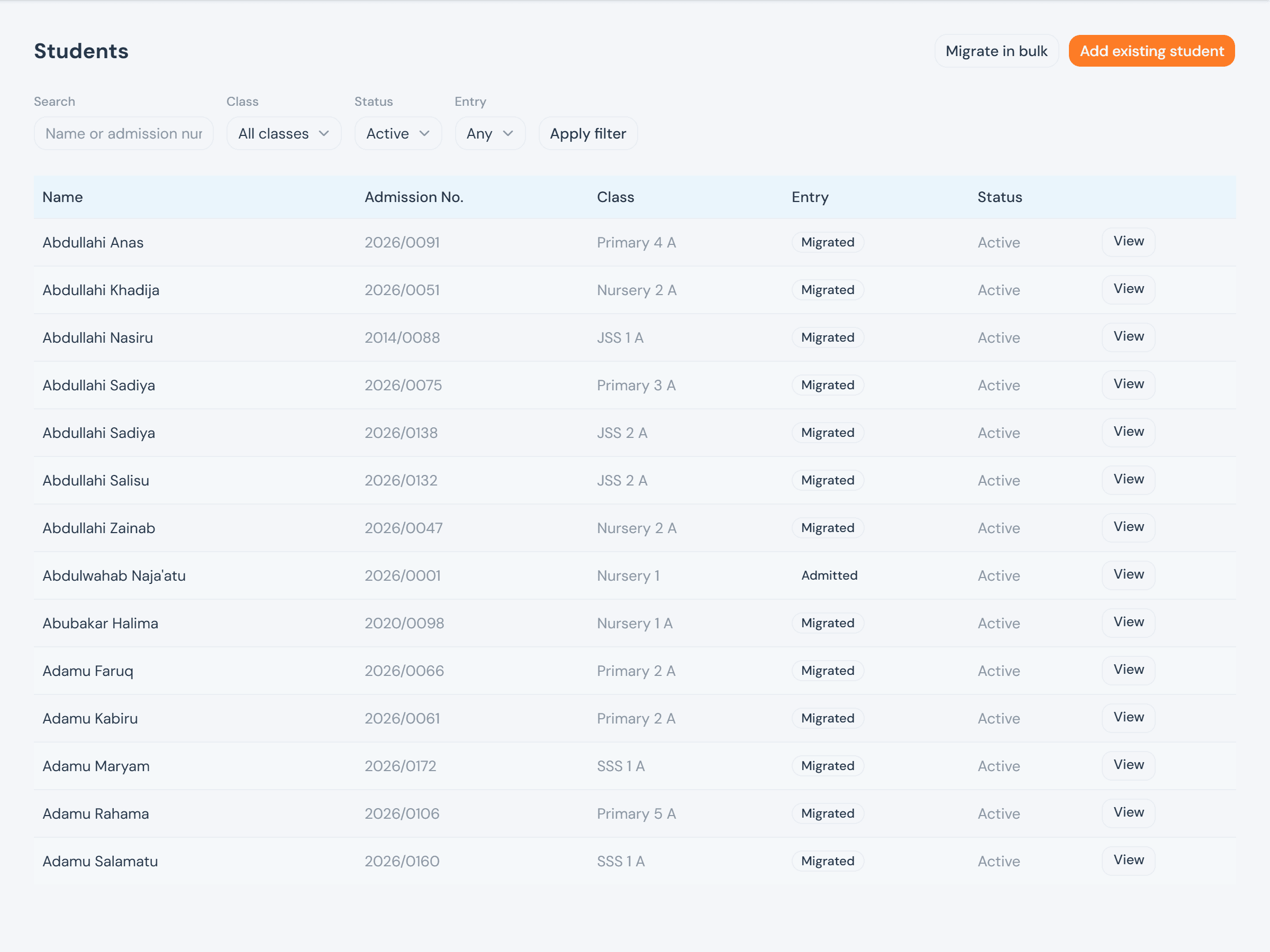
Every student is either admitted — accepted through an admission window — or migrated: a school digitizing a roll it already teaches, which never went through an application at all. Both end up as the same kind of student record; only how they got here differs.
Screens below are from a demo school with 202 real students already on the roll. Nothing was added — the add-student form is shown open and empty.
Who can do what
Creating a student outside admissions has no paper trail behind it the way an accepted application does, so it's the Head Teacher's alone — narrower than most admin actions here, the same reasoning behind who manages the academic calendar. Every officer can still read the roster; a teacher sees it too, since it's who they teach.
The student roster
Students filters by name or admission number, class, status, and — for the four officers — how each one joined. A teacher sees the same table narrowed to their own classes and arms for the current term, computed the same way their timetable and gradebook access are.
Adding a student
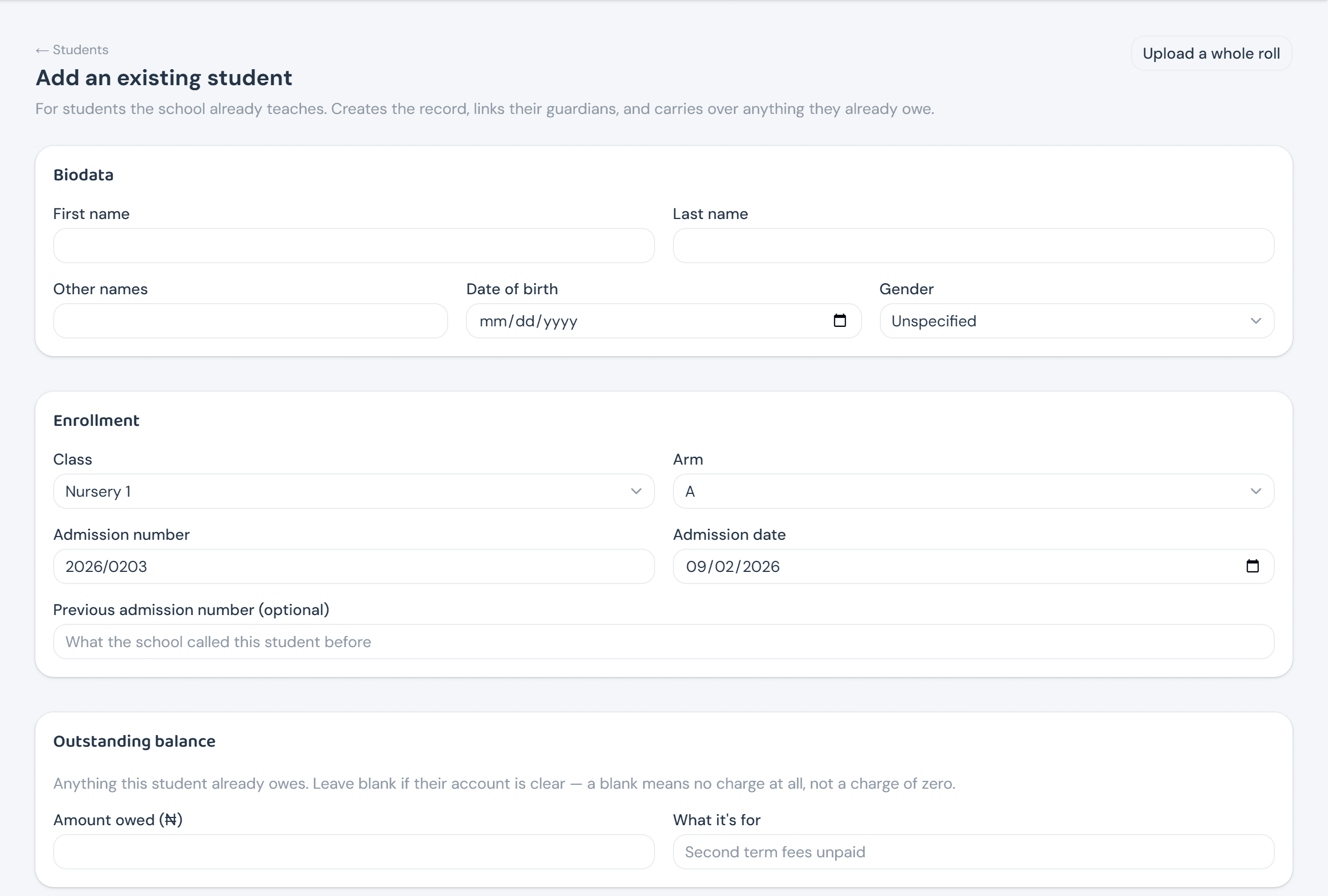
Add an existing student is one form covering everything a migrated student needs at once: biodata, enrollment (including a required arm, not just a class), any balance already owed — left blank means no charge at all, not a charge of zero — and one or more guardians.
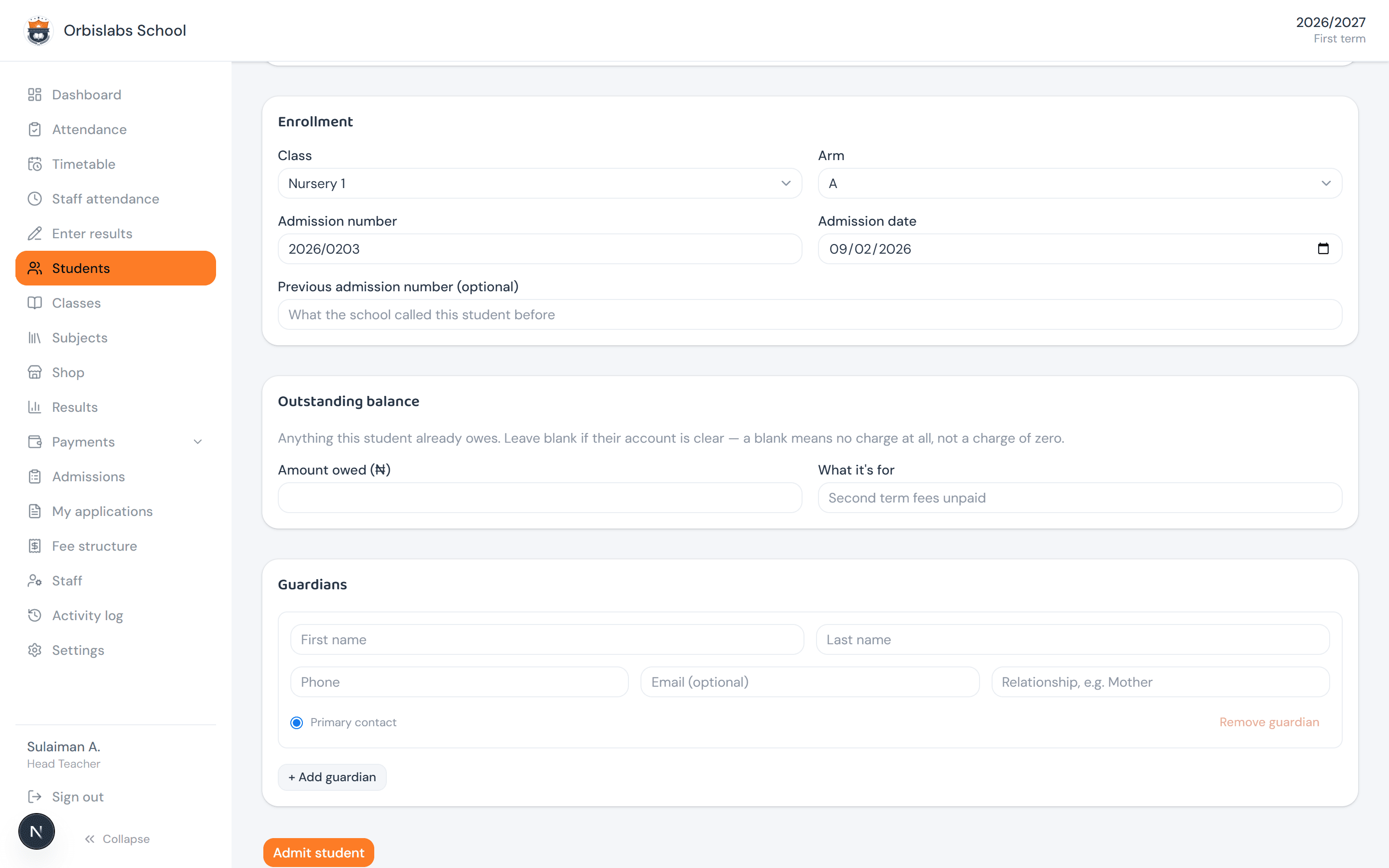
Guardians are added right there too — repeatable rows, one marked Primary contact — so a student and their family land in the system in the same submission, not two.
Bulk-migrating students
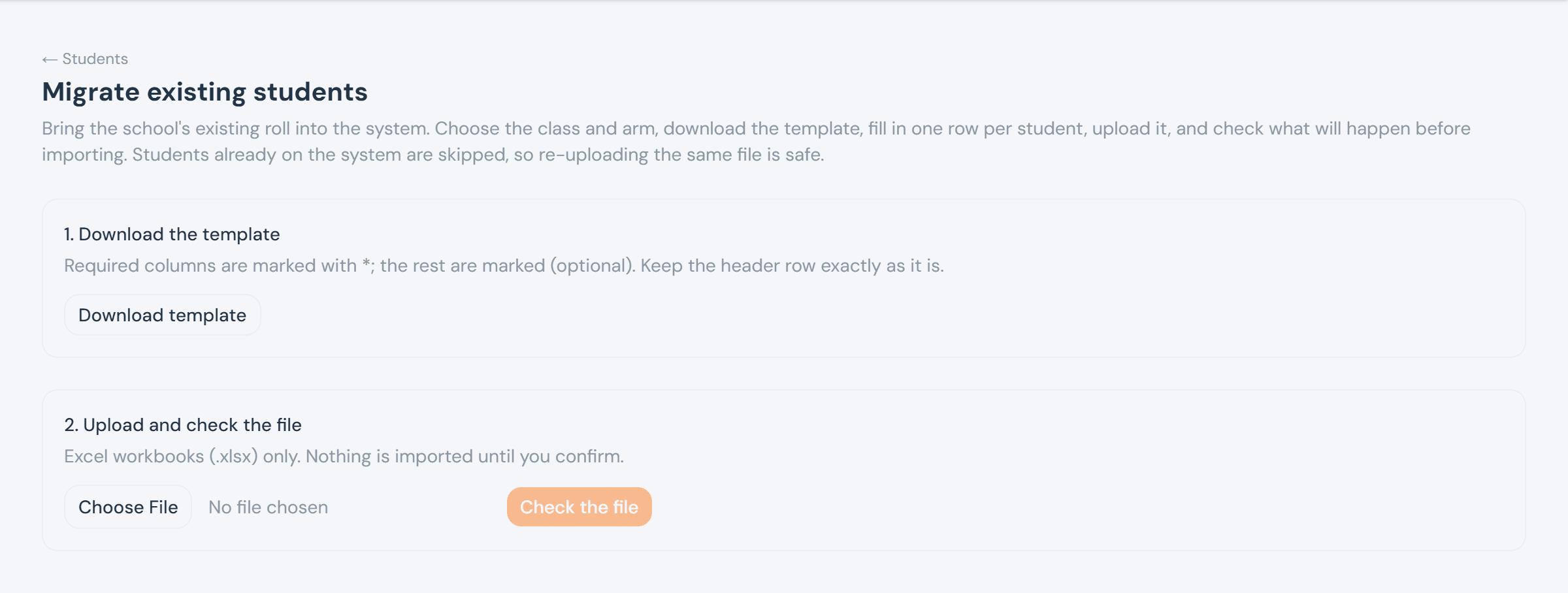
Migrate in bulk follows the same download-template → fill → upload → check shape every import in the app uses — deliberately not gated on an open admission window, since a school digitizing its roll months after applications closed is the normal case, not an edge one. A student already on the system is skipped rather than duplicated, so re-uploading the same file after fixing a few rows is always safe.
The student profile
A student's own page brings everything together: biodata with an inline, immediately-saving arm picker; curriculum (elective choices, where the class has any); a full account ledger — every charge and payment, not just a total; and guardians, each showing whether they already have a portal account or need inviting.
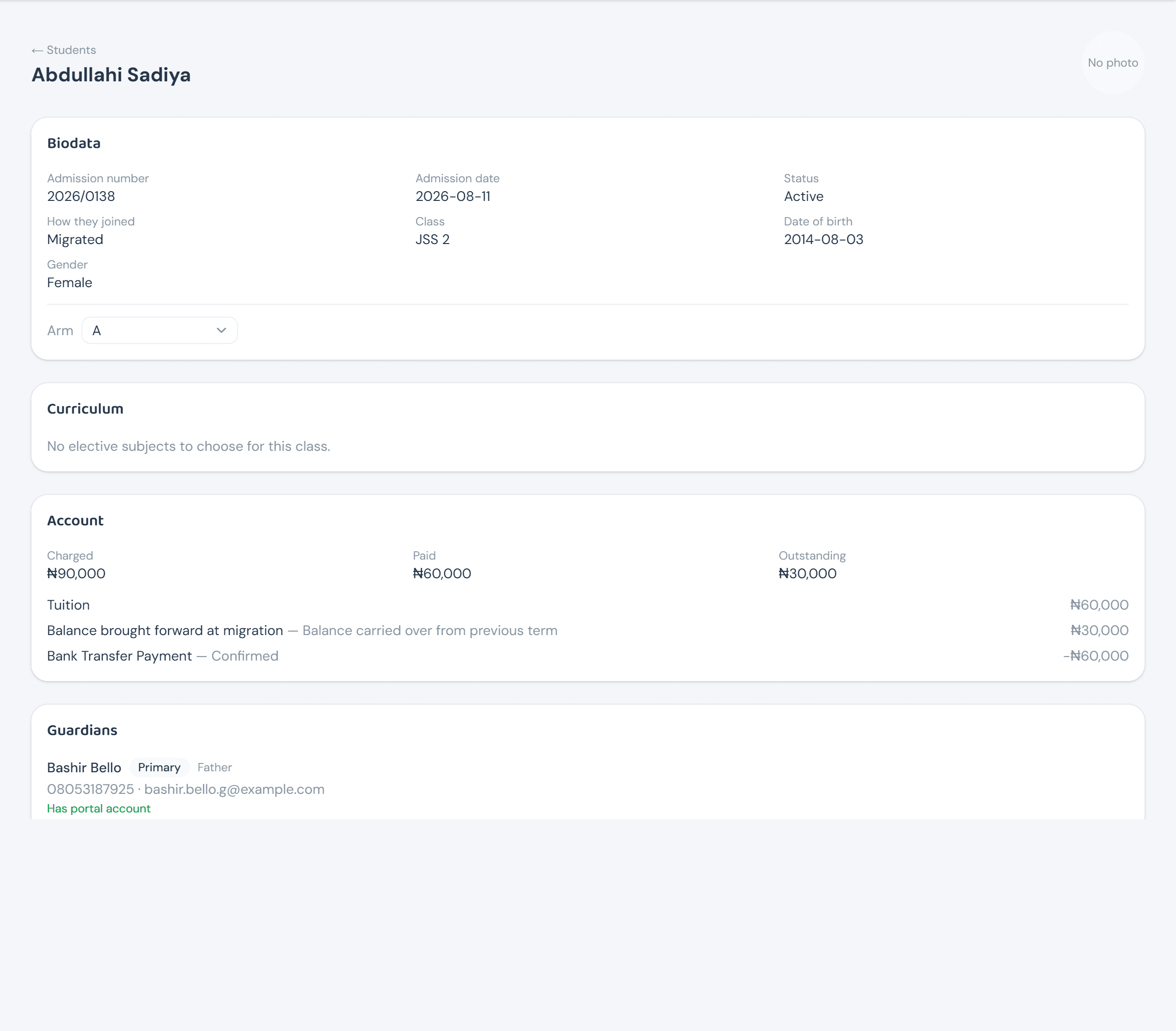
Arm assignment isn't only set once at creation — it's the same picker here, committing the moment it's changed, no separate save step. Most often needed right after accepting an application (which never names one), but it works the same for moving an already-placed student to a sibling arm later.