
Fee structure
Two separate acts, on purpose: setting what a class's tuition is, and billing it — turning that configured amount into a real charge on every enrolled student's ledger. Setting a price never charges anyone by itself; nothing bills a student until someone explicitly clicks to make it happen.
Screens below are from a demo school with a real, already-configured fee structure. Nothing was actually billed to capture this guide — the edit form is shown open, not submitted.
Who can do what
The same pair who can view every payment in Payments can see the fee structure too — a school's finances aren't complete without knowing what it charges. Changing it is narrower: the Burser records and reconciles money that moves, but setting the price and billing it are the proprietor's and Head Teacher's call, not the Burser's.
Setting tuition
Tuition is configured one term at a time, and can be as specific as a class, an arm within it, and a gender all at once — or as broad as a whole class regardless of arm or gender, which is what most rows in a typical school actually look like. Each row can break its total into named items (Tuition, Medical, Development Levy…), and separately controls whether a part-payment is allowed, with an optional minimum first payment.
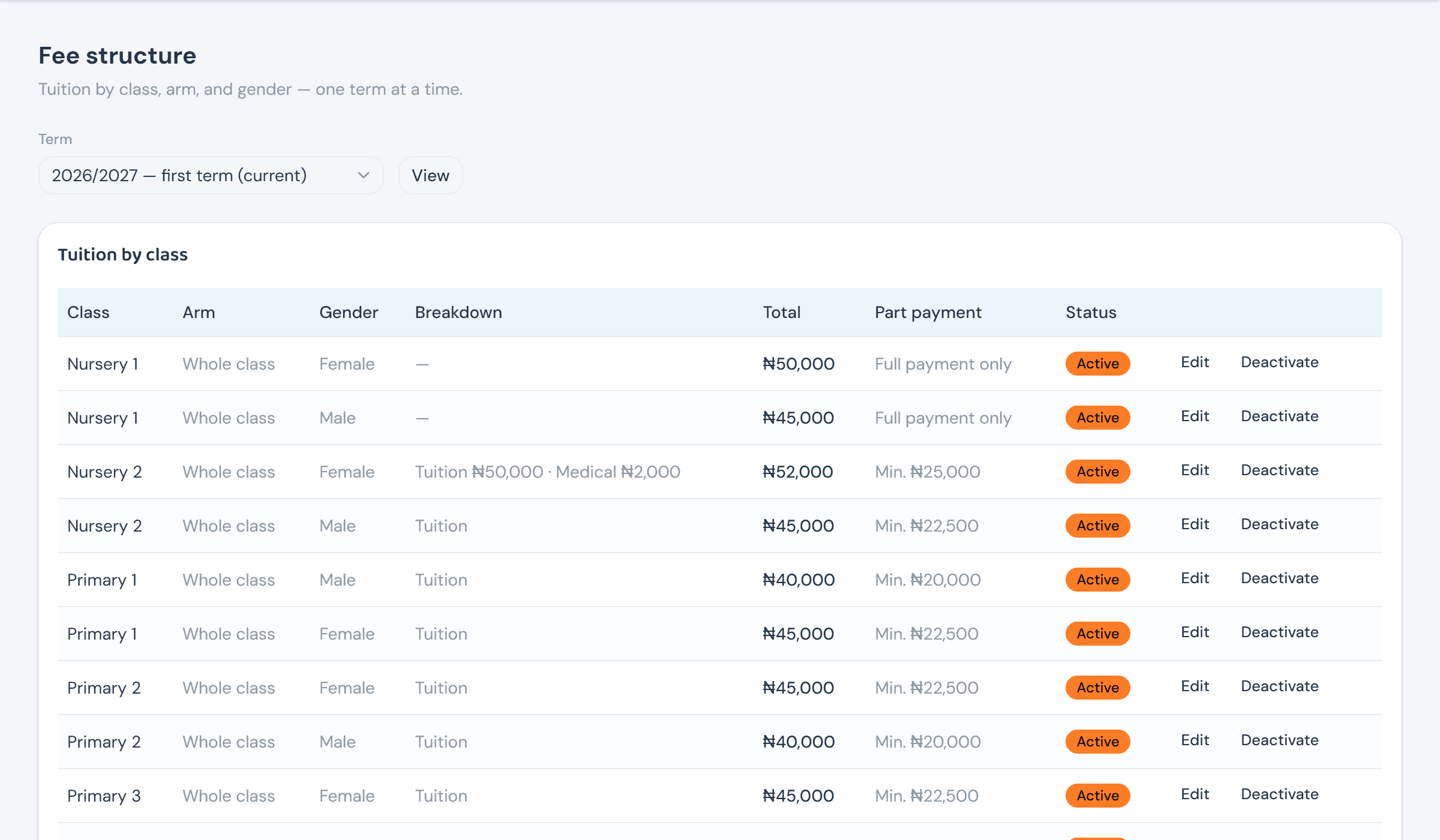
Edit opens the same form a new tuition row uses, prefilled — except the class, arm, and gender it targets, which are locked once set. Retargeting an existing row isn't supported on purpose: deactivate it and create a new one instead, so a row's identity never quietly shifts under charges already raised from it.
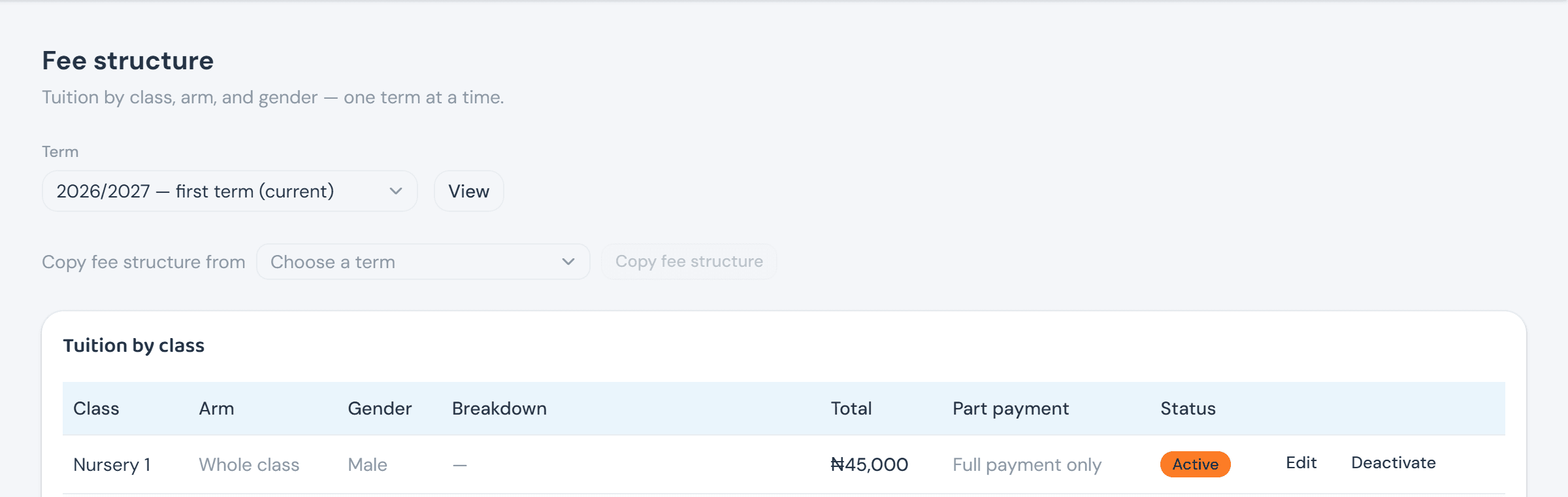
Tuition rarely changes much term to term, so a new term doesn't have to mean re-keying the whole class × arm × gender matrix from blank. Copy fee structure from — above the table — pulls every row from a chosen term into the one currently being viewed in one click. A row that already exists for this term is left untouched rather than overwritten, and the count of what didn't move comes back with the result.
Billing tuition
Bill tuition is the explicit trigger that turns a configured row into real charges — one button per class, or one per arm for a narrower run. It resolves each enrolled student's own most specific fee (their arm and gender beats their arm alone, which beats the whole class), then raises a charge for every breakdown item, so a student's ledger shows the same "Tuition / Medical" split the school configured rather than one lump sum. It's always a deliberate click — nothing here fires automatically when a term opens.
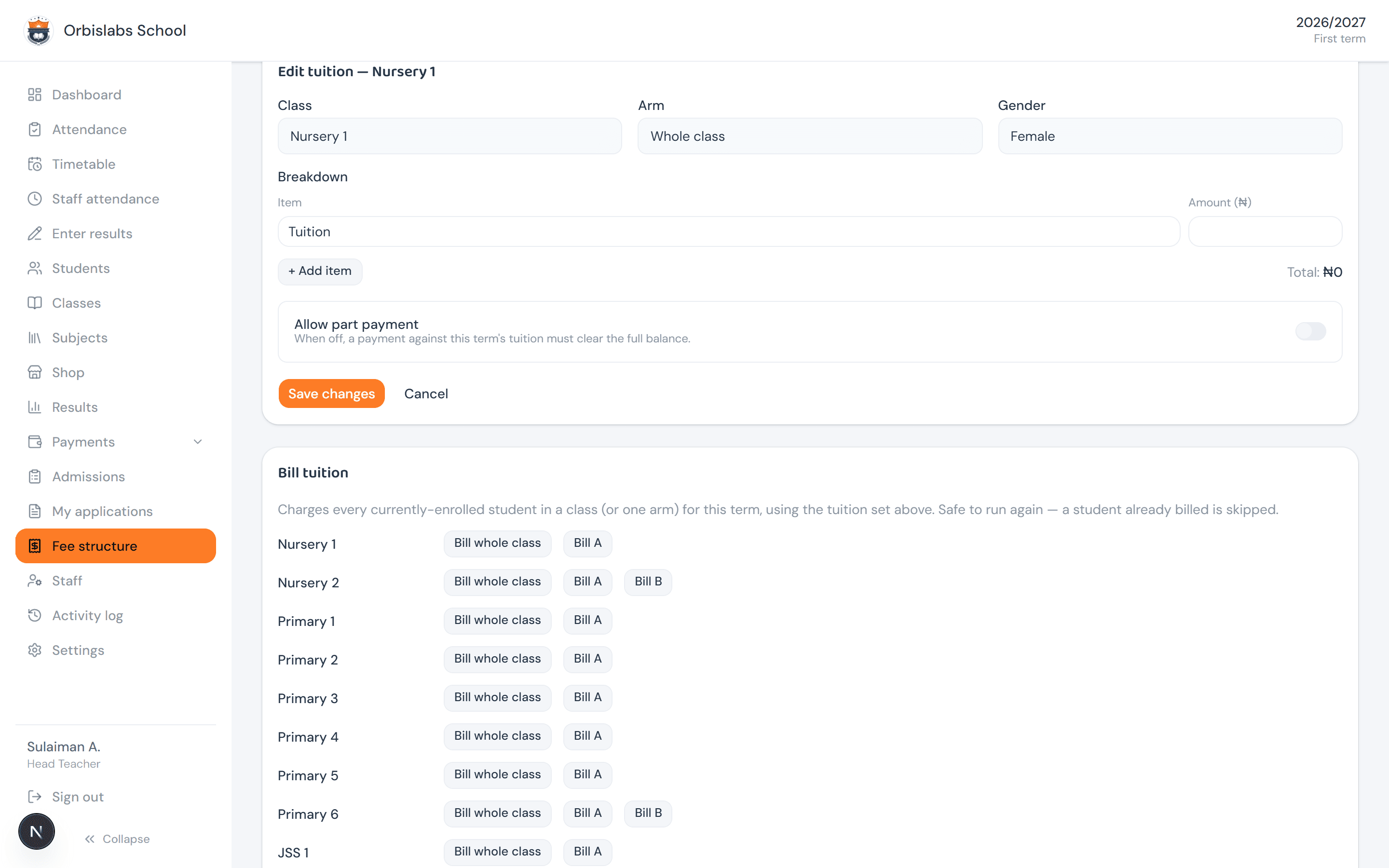
Billing is always safe to run again: a student already billed for that term is silently skipped, never charged twice, which is what makes it fine to bill a class early and run it again later for students admitted afterward. Deactivating a fee structure only stops future billing runs from using it — charges it already raised stay exactly as they are.