
Results
Two things happen at different times: a teacher enters scores against components — CAs and an exam, whatever the school's own grading scale defines — all through the term, and once it's over someone computes the whole term at once, turning every entered score into a graded, ranked report card.
Screens below are from a demo school with real entered scores and 200 already-computed report cards — nothing was typed or computed to make this guide.
Who can do what
The one role split worth noticing: the Head Teacher can see every teaching assignment's scores — same oversight reach as the other officers — but can't enter a single one. Entering scores is teaching work, done by the subject's own teacher or an officer covering for them, not by the person running the school.
Entering scores
Enter results lists a teacher's own teaching assignments for the current term — nothing to search for, since it's scoped to what they actually teach. An officer sees every assignment in the school instead, each labelled with whose it is.
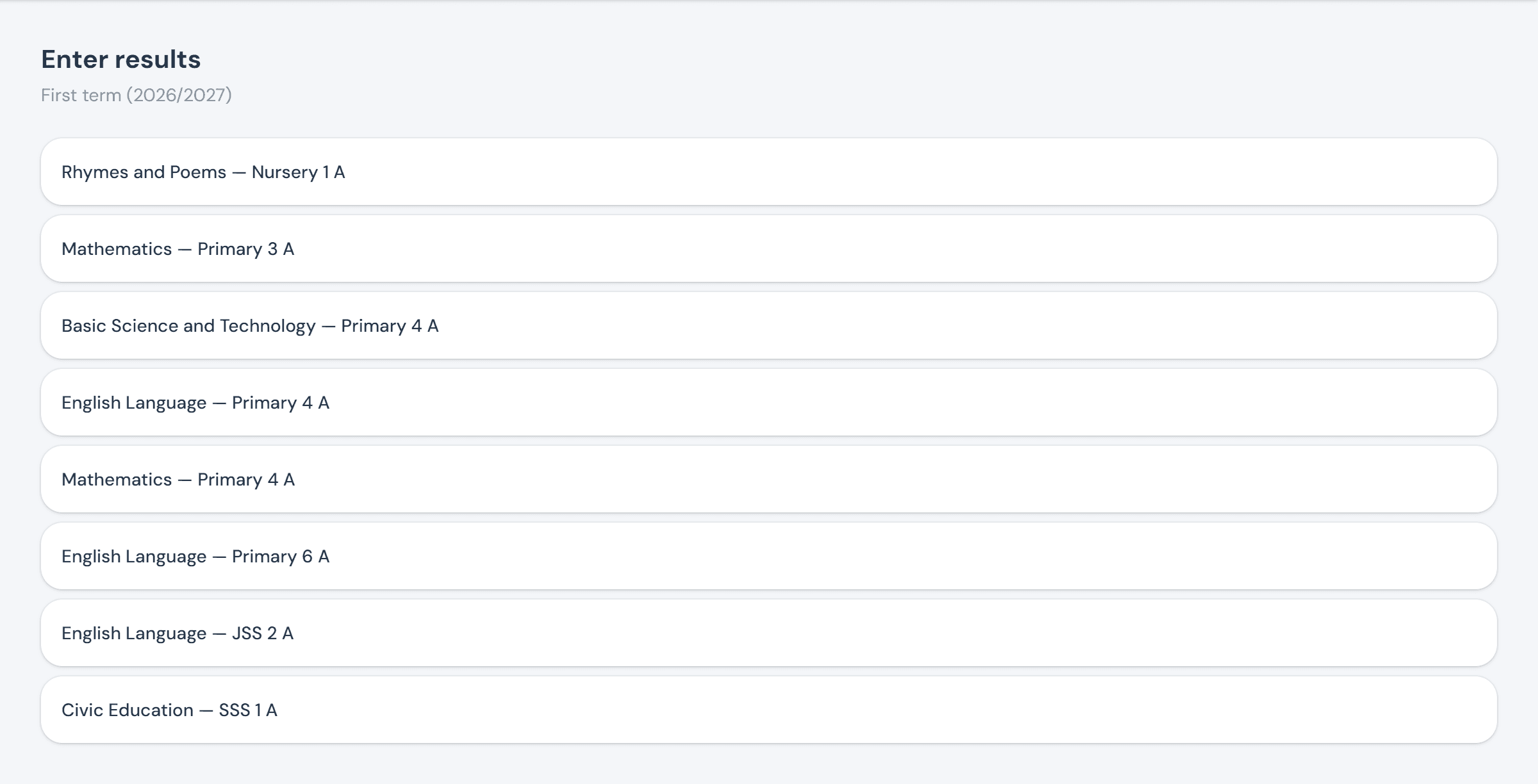
Each grid has one column per assessment component — however many CAs and an exam a school defines, out of whatever it weights them — and one row per student. A cell saves on its own a moment after you stop typing or the field loses focus; there's no separate save button and nothing to lose by moving on to the next student.
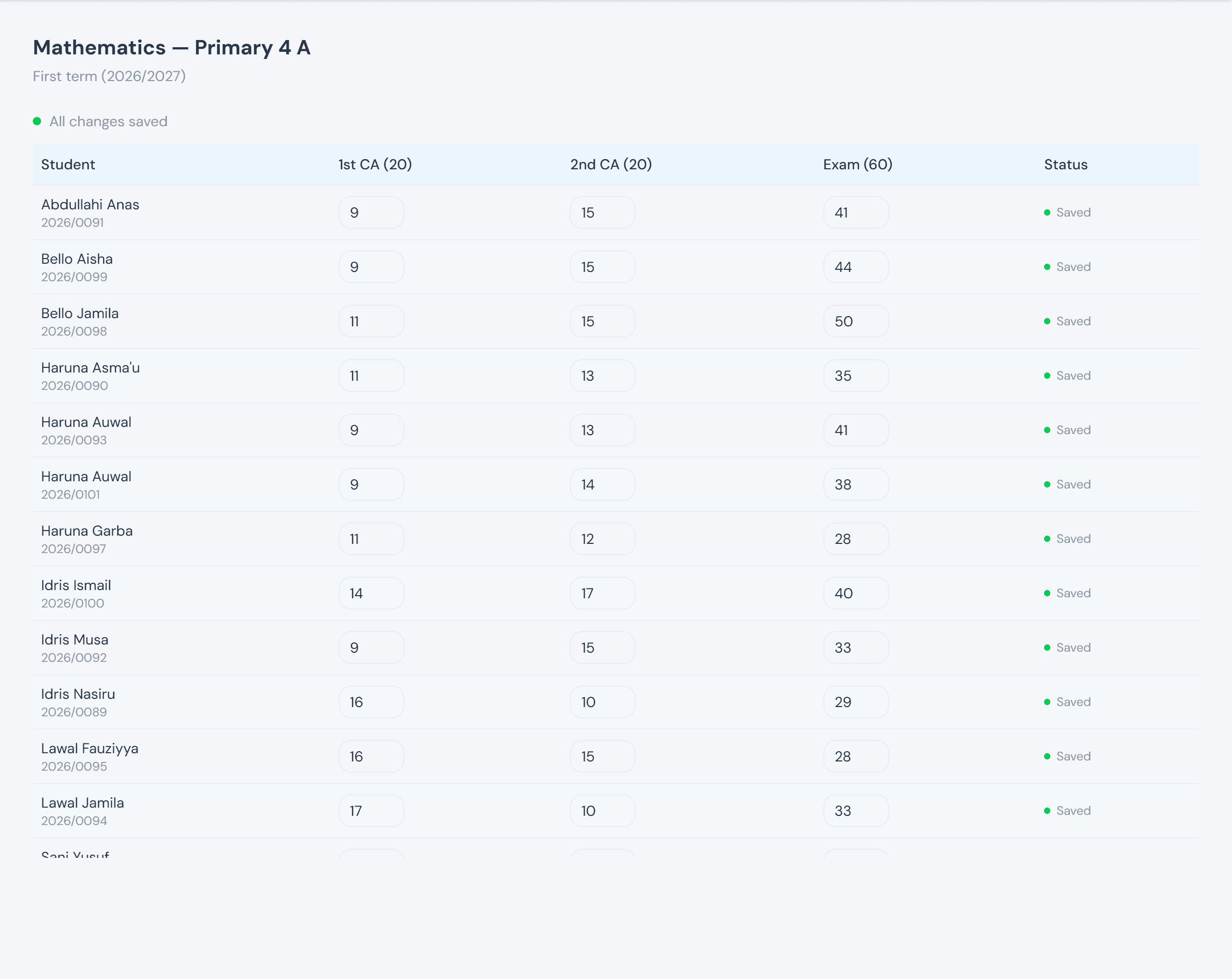
A missing score never blocks computation — it simply counts as 0 toward that component, exactly as if the student had sat it and scored nothing. Once a term closes, the same grid goes read-only rather than disappearing, so what was actually entered stays visible.
Computing & viewing results
Compute results is a single click, scoped to a term and optionally one class — it queues the computation rather than running it inline, so a whole school's worth of grading, ranking, and report-card generation never blocks the page that triggered it. Position is competition-style: two students tied for 2nd both show "2 of N", and whoever comes next shows "4", not "3" — no rank goes missing, none is shared away.
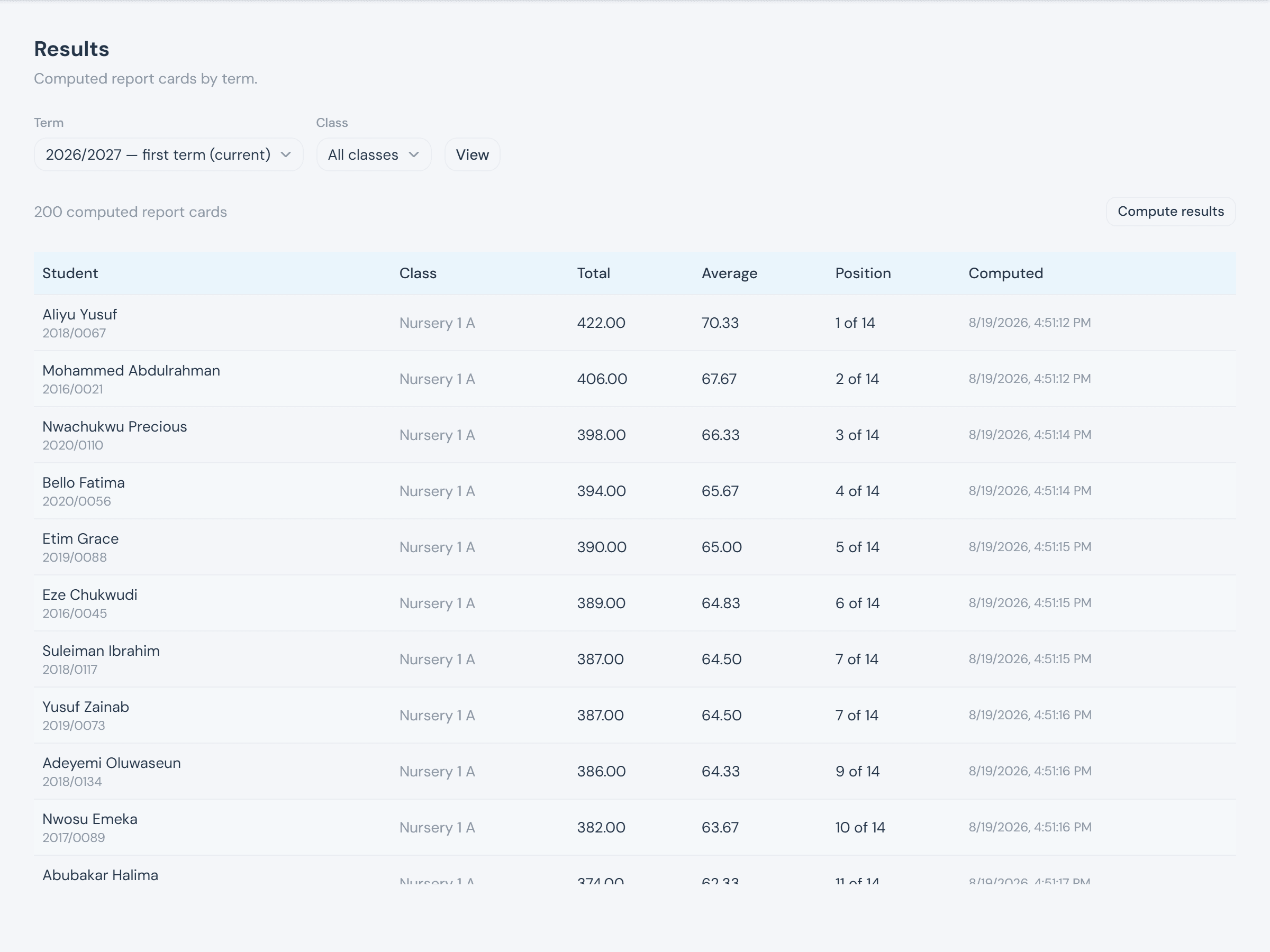
Ranking is scoped to one arm at a time, never merged across a class's arms — Primary 4 A and Primary 4 B each rank on their own roster. A student's average is only ever taken across the subjects that student actually sits, so a student missing an elective isn't penalized for a subject that was never theirs to score.