
School shop
A school store — uniforms, textbooks, whatever it sells — run day to day by one person, the Shopkeeper. It isn't a role like Teacher or Burser; it's an assignment any staff member can hold, one per school, appointed the same deliberate way a class teacher is. Payments for a shop order aren't a separate ledger — they flow through the exact same charges/payments system tuition does.
Screens below are from a demo school. The order lifecycle screens follow one real order — a teacher buying a single textbook — placed and fulfilled just to capture this guide.
Who can do what
Watching the shop and running it are different rights: the proprietor and Head Teacher can see everything the shop does, but only the Shopkeeper can actually change stock, take a payment, or hand goods over. Buying is the one thing almost everyone can do — parent or staff, including the Shopkeeper themselves.
Assigning a Shopkeeper
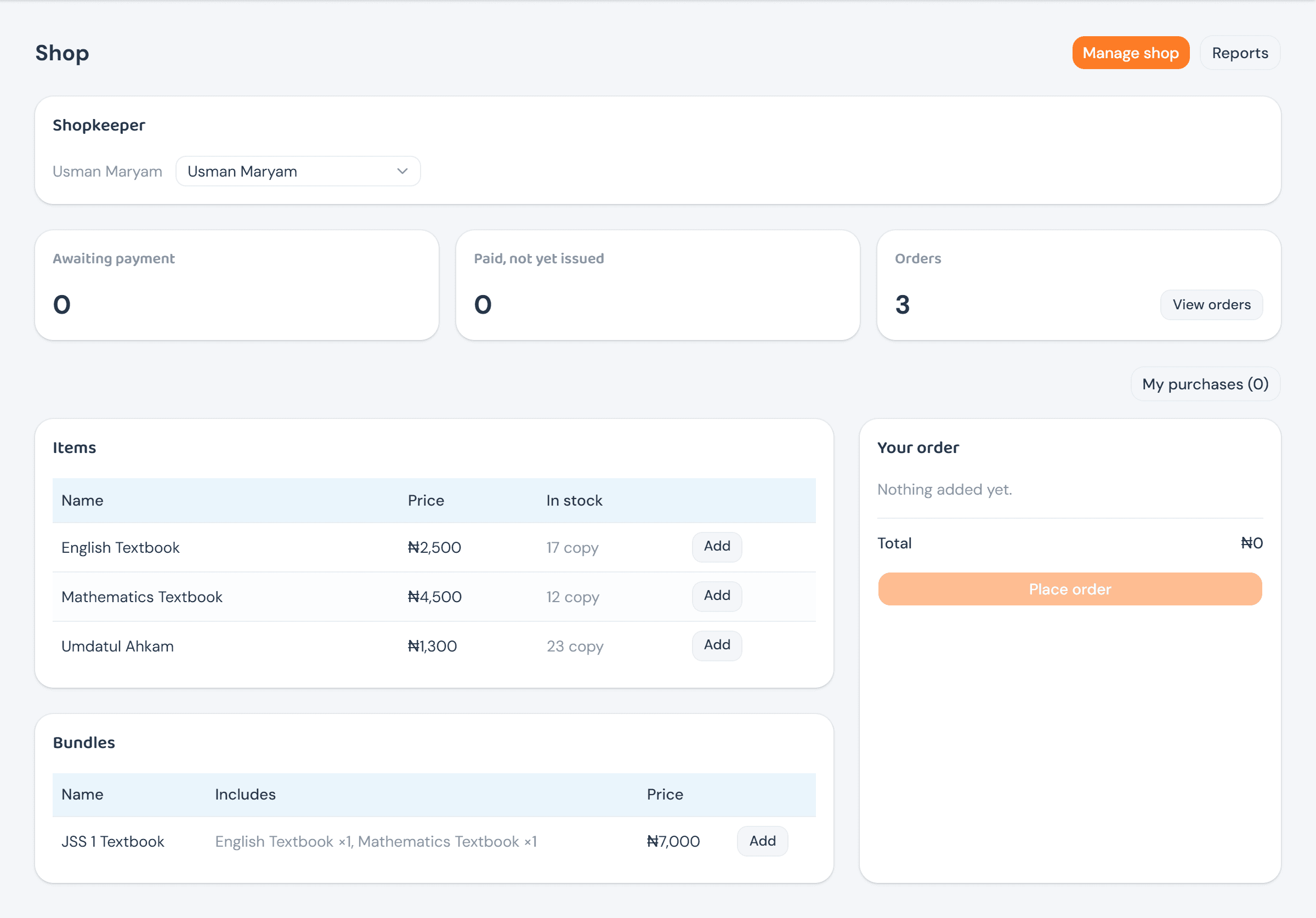
The Head Teacher hands the shop to one staff member from Shop itself — no separate settings page. That page then splits in two below the assignment: an oversight half (stats, Manage shop, Reports) for the proprietor and Head Teacher, and a storefront half — the same one every buyer sees — since running the shop doesn't stop someone from also shopping in it.
Managing the catalog
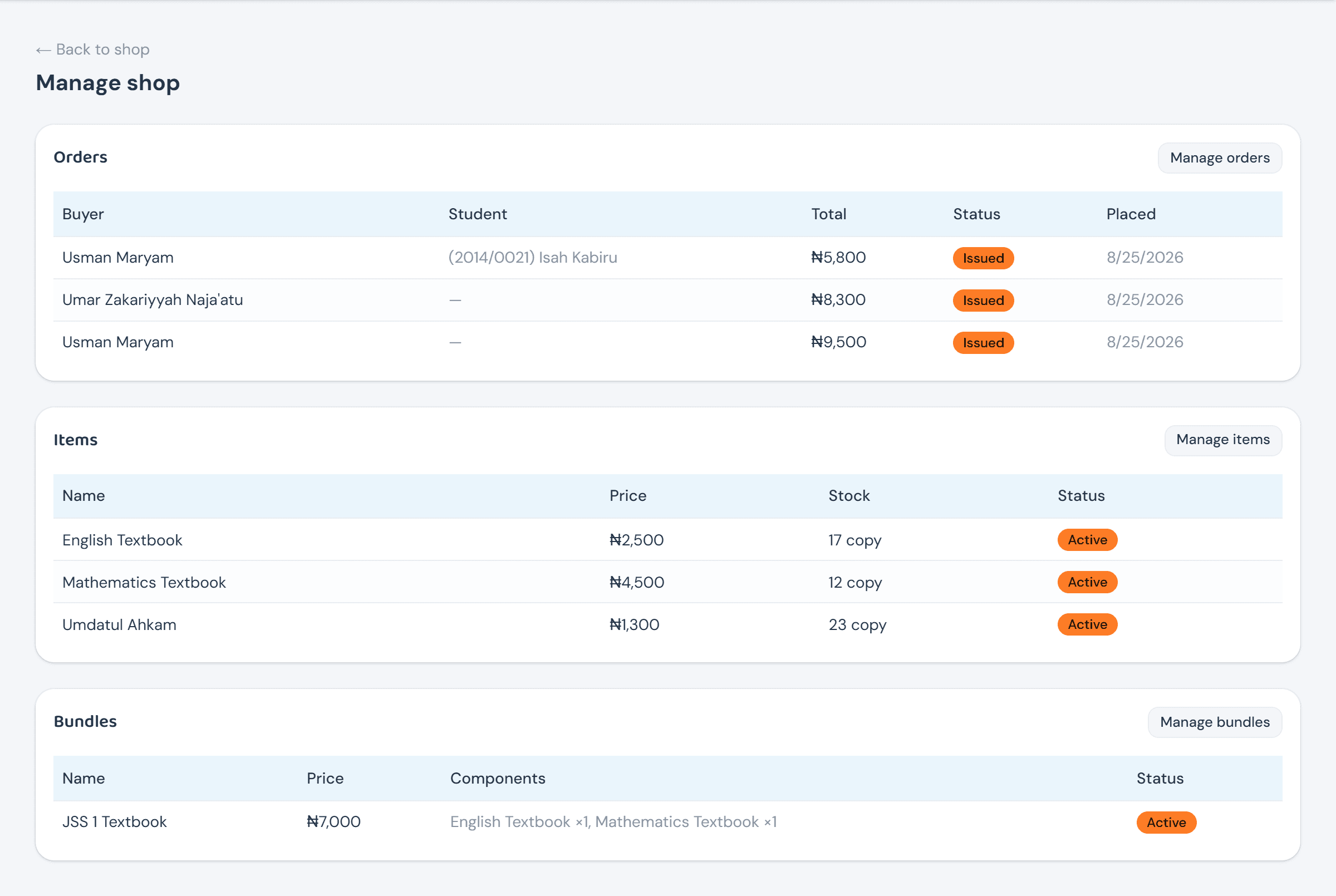
Manage shop is the Shopkeeper's hub — a five-row preview of orders, items, and bundles, each with a button through to the full console.
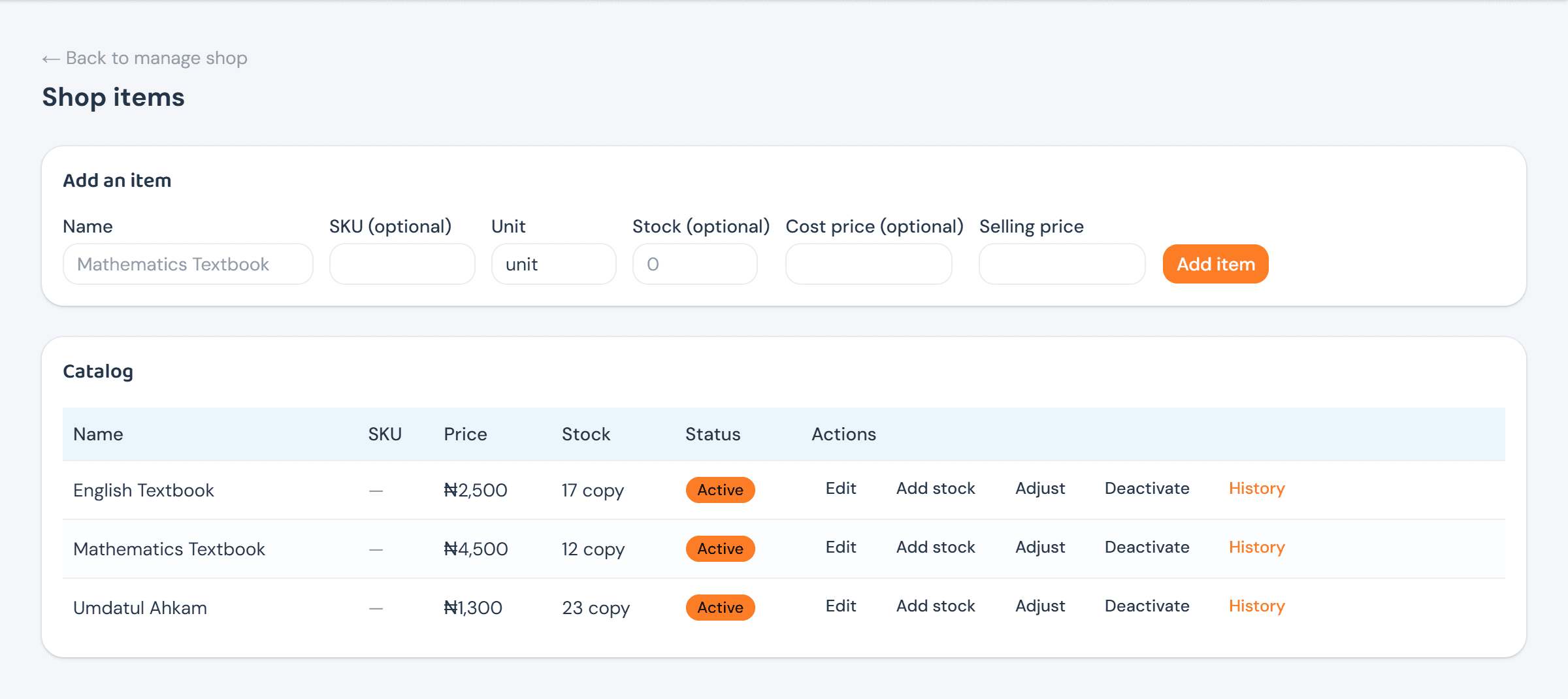
Shop items is a plain catalog — name, an optional SKU, unit, cost and selling price. Stock itself is never a number typed onto the item; it's a running total of every Add stock and Adjust entry, kept as its own append-only history (open History on any row to see it) rather than a count that could silently drift from reality. Deactivating an item stops it being sold without touching what's already been ordered.
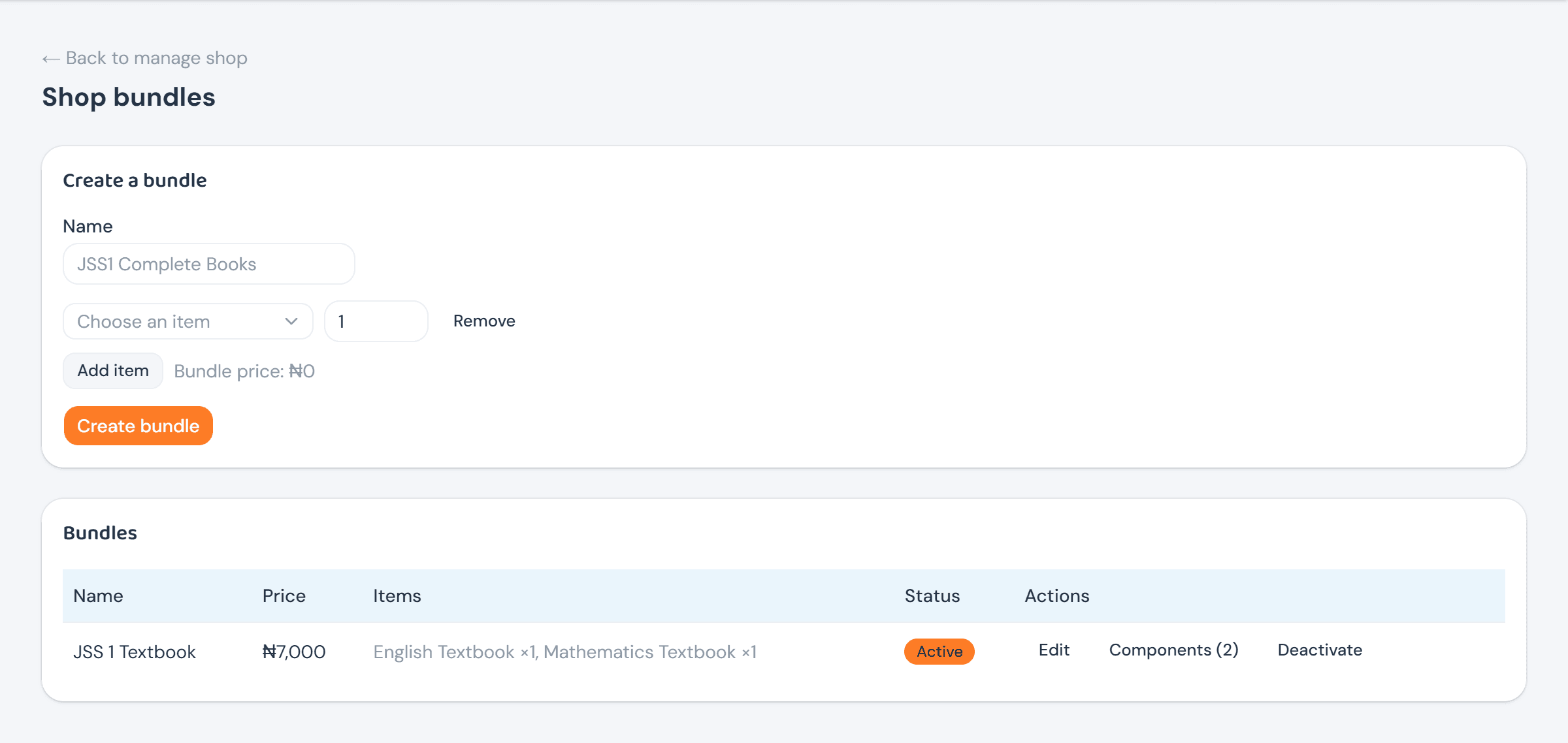
A bundle — a school might sell "JSS 1 Textbook" as English plus Mathematics — never gets its own price. It's always the sum of its components' current selling prices, recomputed the moment a component or its price changes, so a bundle can never quietly go stale against the items it's made of.
Buying from the shop
Anyone who can buy sees the same storefront: items and bundles on the left, a running cart on the right. A guardian can attach the purchase to their own ward from a plain dropdown; the Shopkeeper alone gets a school-wide search-by-name-or-admission-number, since they're as likely to be ringing up a walk-in purchase at the counter as fulfilling one placed online.
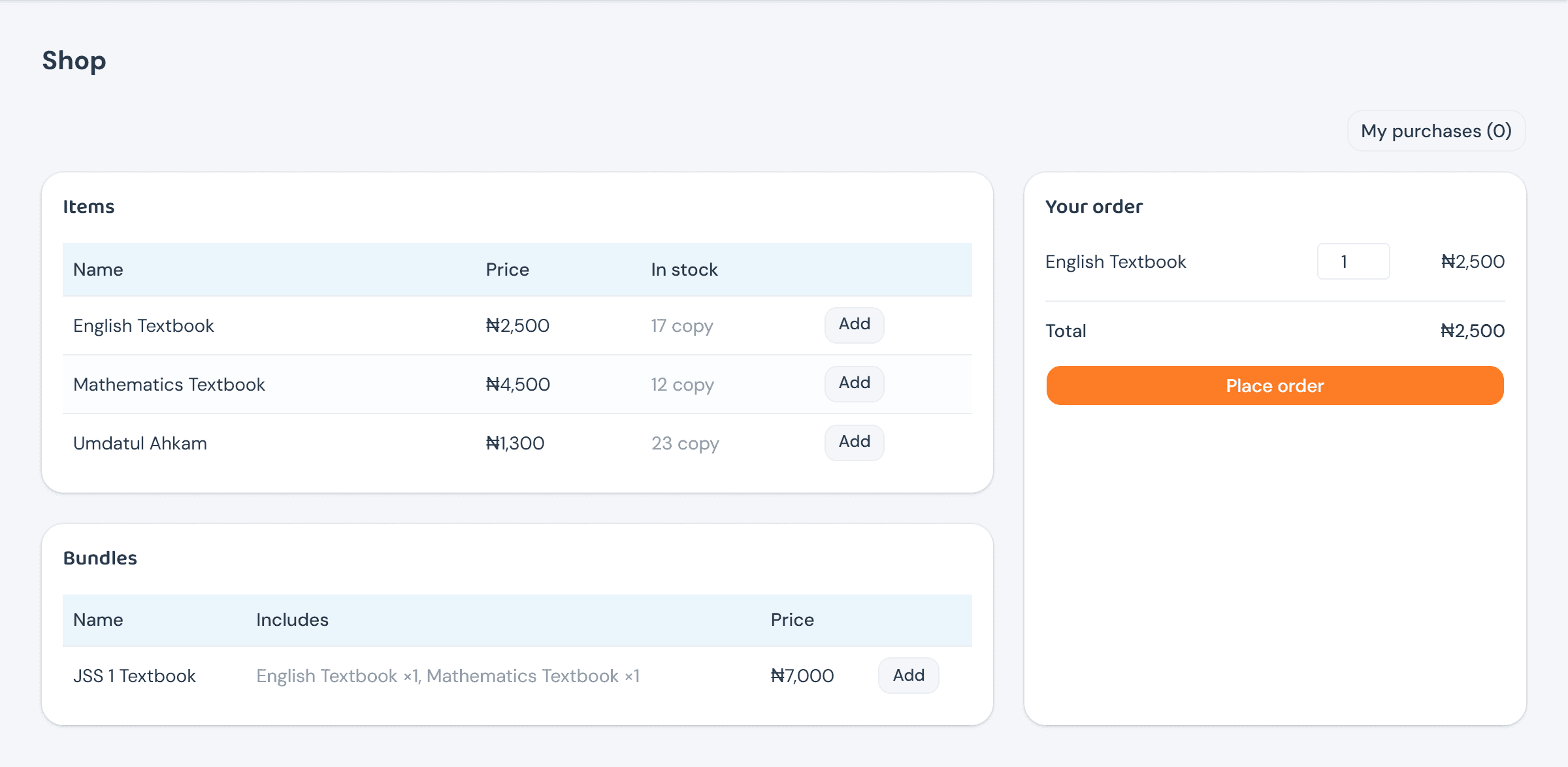
Place order doesn't charge anything by itself — it creates the order pending and snapshots each line's price, so a catalog price change afterward never rewrites what an existing order costs. The confirmation points straight at paying: "Pay for it now to complete your purchase."
Fulfilling an order
An order's status is pending → paid → issued, with cancelled (from pending) and refunded (from paid or issued) as the two exits. Pending, the buyer can pay online via Paystack, or the Shopkeeper can record what was handed over in person.
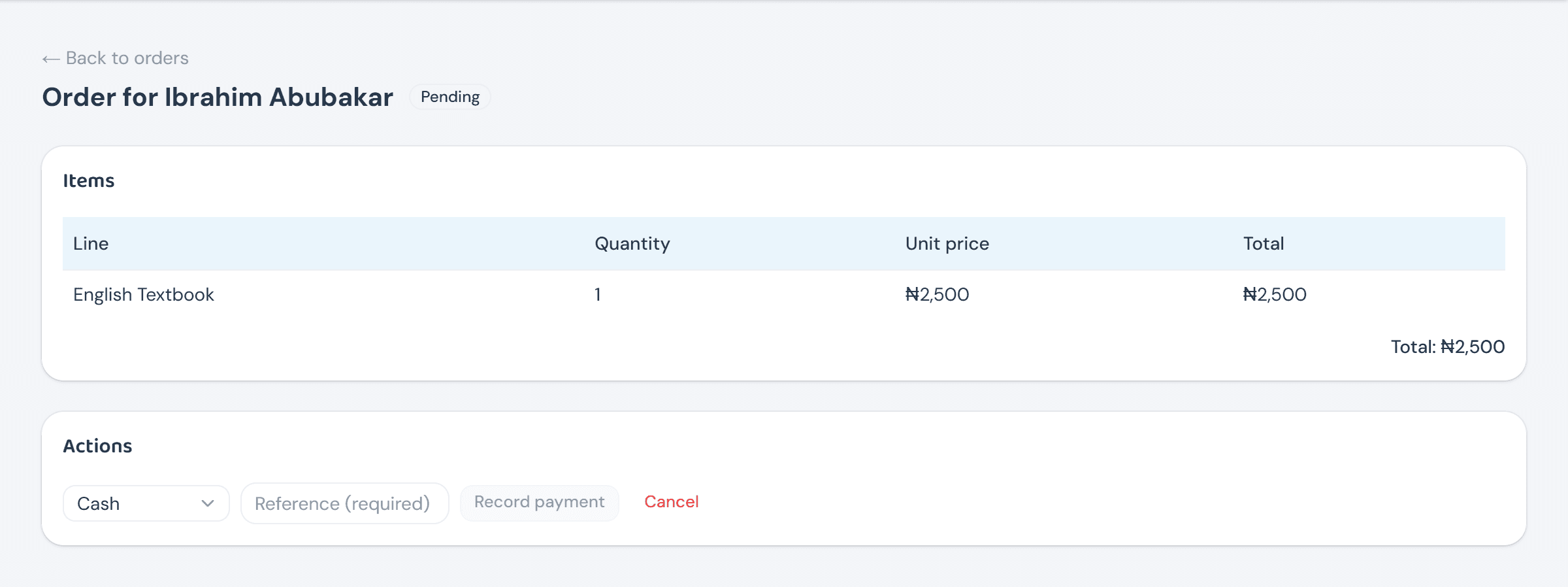
Recording an offline payment doesn't move stock or the balance yet — it only unlocks Confirm sale, the moment stock is actually deducted and the payment counts. A Paystack payment skips this step entirely: it confirms itself, automatically, the instant the webhook or the return-page check sees it went through.
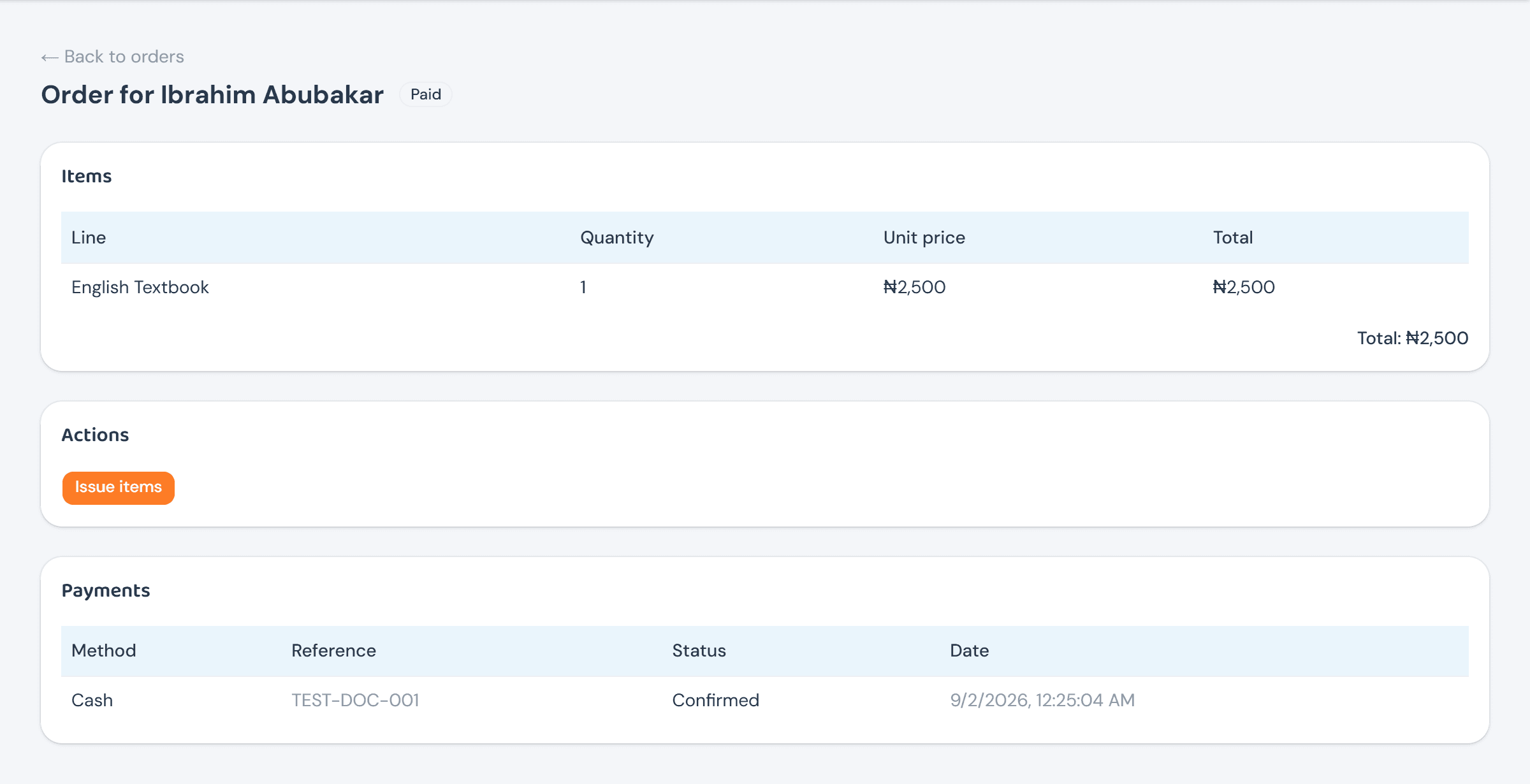
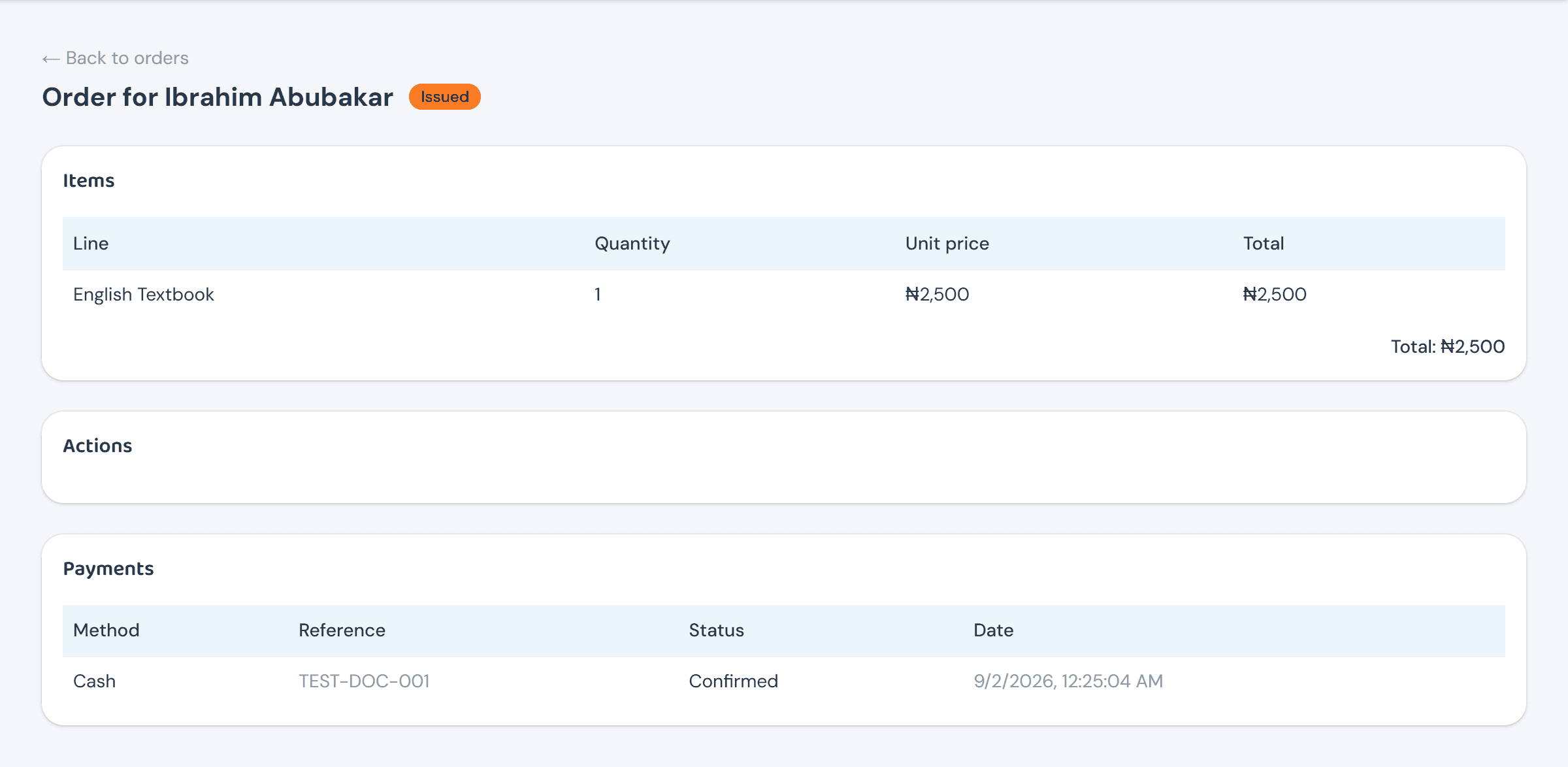
Issue items is the last, purely physical step — handing the goods over — and never touches stock or money by itself; both already moved at confirmation.
Shop reports rolls all of this up for the proprietor and Head Teacher: sales totals by status, how much stock moved and was sold, and a valuation of what's still on the shelf — balance × cost price, or selling price when an item was never given a cost.
